What an AI Automation Agency Actually Does and How to Pick One
Use this buyer-side guide to see what agencies build, what it should cost, and how to avoid renting a black box. ClearSetup's model starts with an owned OpenClaw agent, approval gates, and a clean handoff.
Almost every agency can demo AI now. Far fewer can ship a safe, documented system your team actually owns. This guide walks the full buying decision for an AI automation agency: what they deliver, what it should cost, who owns the result, and the red flags that reveal a black-box vendor before you sign anything.
An AI automation agency is a service partner that audits business processes, builds AI agents and workflows, connects them to tools like CRMs and email, trains your team, and supports launch. The best agencies deliver owned systems with approval gates, not rented black boxes that stop working when a retainer ends.
The market context explains the rush. McKinsey reports that 88% of surveyed organizations now use AI regularly in at least one business function. But adoption is not the same as success: Gartner predicts over 40% of agentic AI projects will be canceled by the end of 2027 because of escalating costs, unclear business value, or inadequate risk controls. The difference between the two outcomes is usually the implementation partner, which is why picking the right AI automation agency matters more than picking the right model.
One question decides most of it, and we will keep coming back to it: do you own the automation, the credentials, the prompts, the logs, and the handoff docs, or are you renting access to someone else's account?
What Is an AI Automation Agency?#
Start with the plain definition, because the label gets stretched. An AI automation agency designs, builds, integrates, tests, and supports AI-powered workflows for your business. That includes setting up AI agents, connecting them to the tools you already run, writing the rules they follow, and training your team to work with them.
The line that separates an agency from a consultant is delivery. A consultant hands you a roadmap and a slide deck. An agency should hand you working automations: a lead follow-up workflow that actually sends, a support triage system that actually routes, a reporting pipeline that actually fills the dashboard. If the engagement ends with recommendations instead of running systems, you hired a consultant at agency prices.
There is a second line worth drawing early. A serious agency designs guardrails, permissions, and approval gates before giving an agent access to your business tools. Anyone who wires an AI agent into your CRM and inbox on day one without talking about what it is allowed to touch has not thought hard about what happens when the agent gets something wrong. So the definition has two halves: a builder of working automations, and a designer of the boundaries around them.
What an AI Automation Agency Actually Does#
Behind the sales call, competent delivery follows a recognizable shape. Buyer guides like FindAIautomation describe the core cycle as audit and map, design, build and integrate, then test, maintain, and measure. Here is what that looks like from your side of the table.
It starts with workflow discovery: identifying tasks that are repetitive, high-volume, and measurable before anyone picks a tool. Then process mapping, which is where weak agencies cut corners. A real map covers who owns each step, where handoffs happen, which data sources feed the work, and what the exceptions and failure points look like. Skip this and the automation breaks the first time reality deviates from the demo.
Then comes the build: configuring the agent or workflow, connecting it to your business tools, and testing it against real cases rather than cherry-picked examples. Good agencies train your team on when to trust the output and when to review it. And before the project is called complete, they add monitoring, approval gates, documentation, and a handoff plan. That last step is the one to watch. An agency that never plans the handoff is planning the retainer.
Common AI Automation Agency Services#
Service menus vary, but most AI automation agency services cluster into five buckets. Guides from Plinthio and FindAIautomation describe the same pattern: real workflows like support agents, CRM automation, document processing, and operations automation, not vague transformation projects.
| Service | Business work automated | Typical deliverable | Approval gate |
|---|---|---|---|
| Agent setup | Multi-step tasks that need judgment and tool access | A configured agent with rules, tools, and escalation paths | Gates on external sends and record changes |
| Workflow automation | Lead routing, follow-up, intake, ticket triage, reporting | Running workflows connected to your systems | Review queues for low-confidence items |
| Integrations | Data moving between CRM, calendar, email, help desk | Authenticated connections with scoped permissions | Least-privilege access per workflow |
| Training | Team adoption and safe day-to-day operation | Playbooks plus live sessions on the approval queue | Humans learn what needs their sign-off |
| Support | Monitoring, tuning, log review, improvements | A named owner for errors and updates | Change approvals before workflow edits |
When you compare vendors, ask which of these five buckets are actually in scope. Plenty of proposals sell agent setup and quietly exclude training and support, which is exactly where automations succeed or rot. The best AI automation agency services end with your team able to run, pause, and improve the system without a ticket to the vendor.
AI Automation Agency Pricing in 2026#
Pricing is where buyers get lost, because three different models get quoted as if they were one. Here is how they compare, with the tradeoffs vendors tend to leave out.
| Pricing model | Typical fit | Watchout | Ownership question to ask |
|---|---|---|---|
| Project fee | Scoped builds: a follow-up workflow, a triage agent, a reporting pipeline | Scope creep turning one project into five invoices | Do we keep everything when the project ends? |
| Retainer | Ongoing monitoring, tuning, and new workflow iterations | A retainer required just to keep the automation alive | Does the system keep running if we cancel? |
| Value pricing | Outcomes with a clear baseline and clean attribution | Fuzzy attribution inflating the invoice | Who measures the outcome, and against what baseline? |
On ranges, current published guides land in a consistent band. FindAIautomation lists roughly $500-$2,000 for basic workflow automation, $2,000-$10,000 for custom workflows, $3,000-$15,000 for chat or support agents, and $10,000-$50,000+ for full systems. Plinthio puts single workflows at $2,000-$5,000, multi-step systems at $5,000-$15,000, custom AI applications at $15,000-$50,000, and retainers at $1,500-$8,000 per month. BinaryFlow frames 2026 U.S. costs as $1,500-$15,000 for scoped pilots, $20,000-$100,000 for mid-market multi-system builds, and $100,000+ for enterprise systems.
The number on the proposal is rarely the full number. When you evaluate AI automation agency pricing, split it into parts: setup fee, model and API usage, private VPS or hardware costs, maintenance, support SLA, change requests, and exit costs. A vendor who cannot itemize those is either inexperienced or hiding the recurring part. And a retainer can be a fair deal for real ongoing work, but it should never be the only thing keeping an automation you paid for from going dark.
The Ownership Question: Do You Own the Automation or Rent It?#
This is the deciding factor, so let us make it concrete. Real ownership means all of the following are yours: the admin account, the API keys, the workflow credentials, the prompts, the workflow files, the knowledge base, the logs, the backups, the documentation, and the pause switch. If any of those live only in the agency's account, you do not own the automation. You are renting it.

Black-box renting has a recognizable pattern. The agency runs everything inside its own accounts. The workflow logic is hidden as proprietary. Nothing is documented for your team. And the retainer is framed as maintenance when it is actually life support: cancel it and the automation dies. Buyer guides like Soluxe advise asking where the system lives, who has access, and what happens if the relationship ends. Those three questions expose the model fast.
Before you sign, get written answers on all of these:
- Export rights. Can you take the workflows, prompts, and data with you?
- Credential transfer. Which accounts and keys are handed over, and when?
- Access list. Who at the agency can touch your systems after launch?
- Backups and retention. Where do backups live, and what data does the agency retain?
- Offboarding steps. The written procedure for a clean exit, agreed before day one.
This is the standard ClearSetup builds against: the agent is set up in your environment, on a private VPS or hardware you own, and the engagement ends with your team holding every key. More on that model below.
Deployment Choice: SaaS Tools, Private VPS, or Hardware You Own#
Where the automation runs determines how much of the ownership checklist you can actually satisfy. Most page-one advice skips this entirely, so here is the honest comparison.
| Deployment path | Best fit | Control level | Question to ask |
|---|---|---|---|
| SaaS automation tools | Simple, low-risk workflows inside one or two apps | Limited: the vendor controls runtime, exports, and logs | What happens to our workflows if pricing or the API changes? |
| Private VPS | Businesses that want isolation, admin access, and a clean handoff | High: your server, your credentials, your backups | Do we hold root access and the hosting account? |
| Hardware you own | Stricter data control, local network access, asset-on-the-books preference | Highest: the machine sits where you decide | Who maintains the box, and what is the update plan? |
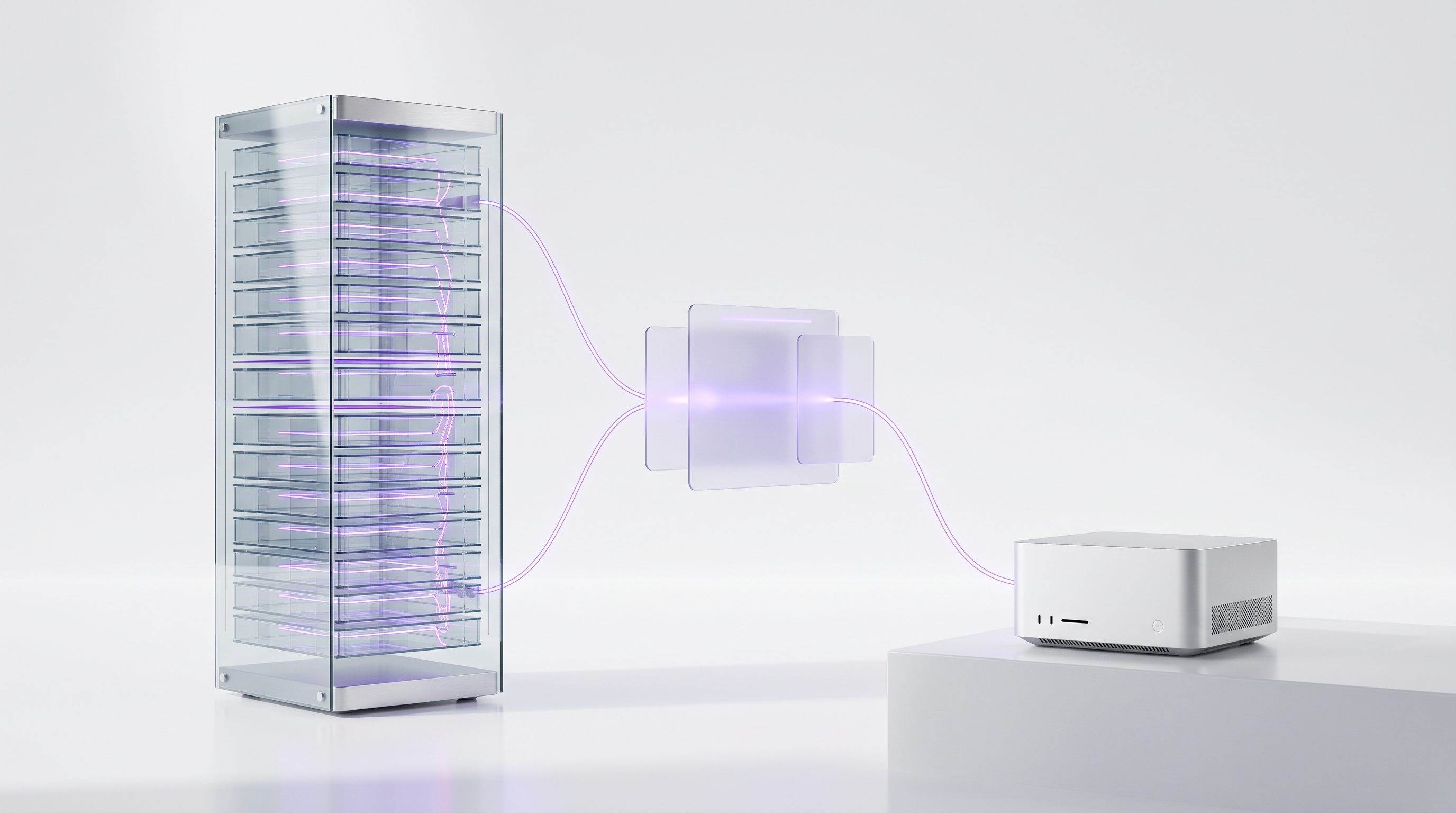
SaaS tools are fine for what they are. If the workflow is simple and reversible, a no-code tool may be all you need, and an honest agency will say so. The limits show up as stakes rise: you cannot always control credentials, export the full logic, inspect logs on your terms, or guarantee the runtime keeps behaving the same way.
A private VPS is the practical middle ground for most businesses: isolated, fully in your control, and easy to hand off. Hardware you own goes a step further and fits teams with stricter data requirements or a preference for assets the business physically controls. Data policy matters at the model layer too: OpenAI, for example, states that API data is not used to train or improve its models unless customers explicitly opt in. A good agency reviews those policies with you instead of waving at the word secure. ClearSetup deploys exclusively on the two private paths: an agent you own, on a private VPS or your own locally hosted hardware. Never inside an agency account you cannot see.
Security Questions Worth Asking About AI Agents#
An AI agent with tool access is a new kind of employee: fast, tireless, and capable of making mistakes at scale if nobody scoped its permissions. OWASP documents the risk categories for LLM and agentic applications, including prompt injection, sensitive information disclosure, excessive agency, system prompt leakage, misinformation, and unbounded consumption. You do not need to become technical to use that list. You need your agency to show how each one is handled.
The buyer-side security checklist is short and non-negotiable:
- Map the surface. Every data source, tool permission, customer-facing action, payment action, and record update, written down before launch.
- Least privilege. The agent gets access to the tools and records the approved workflow requires, nothing more.
- Adversarial testing. The agency should test for prompt injection, data leaks, runaway usage, and low-confidence outputs before go-live, not after an incident.
- Inspectable logs. You can see what the agent did, when, and why.
- An incident owner. A named person, a rollback plan, and a pause switch that works instantly.
If a vendor treats these as exotic requests, that tells you what their other clients are running without.
Approval Gates: The Safety Feature Every Buyer Should Demand#
Approval gates are the single clearest signal that an agency builds for production rather than for demos. The pattern is simple: the agent does the work, a human approves the consequence. Draft email, human approves, send. Refund request above a threshold, human approves, payment fires. Low-confidence CRM update, review queue, then writeback.
This is not paranoia, it is convergent best practice. NIST notes that generative AI may require additional human review, tracking, documentation, and management oversight. The EU AI Act makes human oversight an obligation for certain high-risk AI systems. The practical payoff for you: automation moves fast on low-risk work while every consequential action carries a human fingerprint. Ask each vendor to show you their approval queue in a live system. If they cannot, they do not have one.
12 Red Flags Before You Hire an AI Automation Agency#
Use this table as a sales-call checklist. One or two red flags might be sloppiness. Three or more is a business model.
| Red flag | Why it matters | Question that exposes it |
|---|---|---|
| Cannot explain where the system runs | You cannot own or audit what you cannot locate | Where exactly does this run, and who has admin access? |
| Keeps all credentials in agency accounts | Cancel the contract and you lose the system | Which API keys and logins are transferred to us, and when? |
| No written ownership or export rights | Verbal promises evaporate at offboarding | Can we see the ownership and export clause in the contract? |
| No approval gates on risky actions | One bad send reaches a real customer | Which actions pause for human approval? |
| Retainer required to keep it alive | You bought a subscription disguised as an asset | Does everything keep running if we end the retainer? |
| No pause switch or rollback plan | Incidents become emergencies | How do we stop the agent instantly, and who reverts a bad change? |
| No logs you can inspect | You cannot audit what you cannot see | Show us the log of what the agent did yesterday. |
| No data retention or permission model | Your customer data goes somewhere undefined | What data do you retain, and what can the agent access? |
| No scope, metrics, or acceptance criteria | The project cannot fail, so it cannot succeed | What does done look like, measured how? |
| Sells a demo before mapping your process | Demos are rehearsed, your workflows are not | What did you learn about our process before this pitch? |
| Hides prompts and workflows as proprietary | The black box is the product | Do we receive the prompts and workflow documentation? |
| Cannot explain limits and costs in plain English | Confusion is where margin hides | What breaks this system, and what does it cost to run monthly? |
Notice the pattern: almost every red flag traces back to ownership, visibility, or control. Gartner's cancellation prediction cited escalating costs, unclear business value, and inadequate risk controls. All three usually enter through one of these twelve doors.
Questions That Expose Weak Agencies#
You do not need to become technical to vet a technical vendor. You need eight direct questions and the patience to sit through the answers. Strong agencies answer these in plain English without flinching. Weak ones reach for jargon or change the subject.
| Question | Strong answer sounds like | Weak answer sounds like |
|---|---|---|
| Where will this run, and who has admin access? | Your VPS or your hardware, your admin account, here is the access list | Our secure cloud platform handles all of that |
| Who owns the keys, prompts, logs, docs, and backups? | You do, itemized in the contract | That is part of our proprietary system |
| What actions require approval? | A written tier map: auto, ask-first, never | The AI is smart enough to handle it |
| Can we pause the agent instantly? | Yes, here is the switch, try it now | You would open a support ticket |
| What happens if we end the retainer? | Everything keeps running, you own it all | We would need to discuss transition options |
| What is maintenance versus new build work? | Defined in the SLA with examples of each | We handle whatever comes up |
| What logs can we inspect? | Full action logs, in your environment, anytime | We monitor everything on our end |
| How do you test injection, bad tool calls, and data leaks? | A named test plan run before launch, results shared | Our models are enterprise-grade |
Ask all eight before you sign with any vendor, and take notes on which answers came with evidence. Show me beats trust me, every time.
When to Hire an AI Automation Agency and When DIY Wins#
An agency is not always the right answer, and the good ones will tell you that on the first call. The decision comes down to risk, complexity, and whether anyone inside your business can own the system after launch.
| Factor | DIY leans right when | Agency leans right when |
|---|---|---|
| Risk | Mistakes are cheap and reversible | Output reaches customers or money |
| Volume | Occasional, low-stakes runs | High-volume daily work |
| Data sensitivity | No customer or financial data | CRM, payments, or personal data involved |
| Tool count | One or two apps | Multiple systems that must stay in sync |
| Uptime | Nobody notices an off day | Downtime costs revenue or trust |
| Compliance | No regulatory exposure | Industry rules or audits apply |
| Internal owner | A capable operator wants to run it | Nobody can maintain it internally |
| Reversibility | Every action can be undone | Some actions are one-way doors |
DIY genuinely wins when the workflow is simple, low-risk, reversible, and already supported by a tool your team knows. If that is you, start with our guide on how to build an AI agent and skip the vendor calls entirely. Hire an AI automation agency when the workflow touches multiple systems, produces customer-facing output, needs uptime and monitoring, involves sensitive data, or requires approval gates someone has to design properly. The honest heuristic: DIY the experiments, hire out the systems your business will depend on.
How Long an AI Automation Build Usually Takes#
Timeline expectations keep proposals honest. Published ranges from Plinthio put a single workflow at 5-10 days, a multi-step system at 2-4 weeks, and a custom AI application at 1-3 months. Real timelines depend on how fast you grant access and how quickly decisions get made on your side.
Treat speed claims with the same skepticism as price claims. A fast build that skips exception handling, testing, documentation, and training is not fast, it is unfinished. The question is never how quickly can you build it. It is how quickly can you build it with ownership, approval gates, and a handoff we could survive without you.
Should You Hire a Local or National Agency?#
Local helps when you want in-person workshops, on-site process mapping, or a partner who knows your regional market. National works when the agency has a stronger ownership model, deeper agentic experience, better documentation, or a cleaner handoff process. The top AI automation agency for your business is not the biggest brand or the nearest office. It is the partner that ships an owned, documented, safe system your team can run.
If you specifically want a local vendor and you are in the Midwest, start with our shortlist of the best AI automation agencies in Chicago. It applies the same ownership and approval-gate criteria this guide uses, so you can compare local options against the national standard rather than against each other.
The ClearSetup Model: An Owned OpenClaw Agent With a Real Handoff#
Everything above describes what a good AI automation agency should do. Here is how ClearSetup does it. The model is built around one promise: you own the agent, and the engagement ends with your team holding the keys.

- 1Workflow mapping
We find the repetitive, measurable work worth automating and map owners, handoffs, and exceptions before building anything.
- 2Owned OpenClaw setup
An OpenClaw agent installed on a private VPS or hardware you own. Your admin account, your credentials, from day one.
- 3Integrations with least privilege
Email, calendar, CRM, and documents connected with scoped permissions that match the approved workflow, nothing broader.
- 4Approval gates and testing
Drafting and research run freely. Sends, writebacks, and spending pause for your sign-off. Tested against real cases before launch.
- 5Training and documentation
Your team learns the approval queue, the pause switch, and the logs. Everything is documented in plain English.
- 6Key handoff
Admin access, API keys, prompts, workflow files, knowledge base, logs, backups, and operating docs, all transferred to you.
OpenClaw is the control plane that makes this ownership model practical: an open, tool-using agent that runs on infrastructure you control, with memory, logs, and permissions you can actually inspect. If you want the full picture of what that looks like inside a company, read The Ultimate OpenClaw Guide for Business Owners. And if the vocabulary is still settling, our explainer on what agentic AI actually means separates the working pattern from the buzzword. Support is available after launch, but it covers improvements and new workflows. It is never the thing keeping your system alive.
Final Buyer Checklist Before You Sign#
Run this list before any contract gets signed. It compresses everything above into the five conversations that matter.
- An AI automation agency should deliver working, documented systems, not roadmaps or rehearsed demos.
- Ownership is the deciding factor: credentials, prompts, logs, backups, and the pause switch belong to you.
- Realistic 2026 pricing runs from about $500-$5,000 for simple workflows to $15,000-$50,000+ for custom applications, plus itemized running costs.
- Approval gates on customer-facing, financial, and irreversible actions are non-negotiable, and regulators increasingly agree.
- DIY the cheap, reversible experiments. Hire out the systems your business will depend on.
AI Automation Agency: Frequently Asked Questions#
What is an AI automation agency?
An AI automation agency builds AI-powered workflows and agents that automate business tasks like lead follow-up, support triage, document processing, CRM updates, and reporting. The best agencies also handle integrations, testing, training, approval gates, and a documented handoff.
What are common AI automation agency services?
Common AI automation agency services include agent setup, workflow automation, CRM and tool integrations, customer support automation, document processing, reporting, team training, monitoring, and post-launch support.
How much does an AI automation agency cost in 2026?
Published AI automation agency pricing ranges from about $500-$5,000 for simple workflows, $5,000-$15,000 for multi-step systems, $15,000-$50,000 for custom AI applications, and $1,500-$8,000+ per month for ongoing support retainers.
Should I hire an AI automation agency or build it myself?
Bring in an agency when the workflow is high-volume, customer-facing, sensitive, multi-tool, or needs uptime, monitoring, and approval gates. DIY wins when the workflow is simple, low-risk, reversible, and owned by someone capable on your team.
Do I own the AI automation after it is built?
You should. Before signing, confirm in writing that you own the credentials, prompts, workflow files, logs, documentation, backups, and the deployment environment, and that the system runs without an agency-controlled black box.
Why do approval gates matter in AI automation?
Approval gates stop an agent before consequential actions like sending customer emails, changing CRM records, issuing refunds, or sharing proposals. The agent handles the speed, humans keep control of the outcomes.
What is the biggest red flag when evaluating an AI automation agency?
An agency that insists everything must run inside its own accounts, hides the workflow logic as proprietary, avoids written ownership terms, and requires a retainer just to keep your automation alive.
How does ClearSetup differ from a typical agency retainer?
ClearSetup sets up an owned OpenClaw agent on a private VPS or your own locally hosted hardware, adds approval gates, trains your team, documents everything, and hands you the keys. Ongoing support is optional, never life support.
ClearSetup sets up an OpenClaw agent you own on a private VPS or your own locally hosted hardware, adds approval gates for consequential actions, trains your team, and hands you the keys. Book a free setup call and bring the checklist from this guide.
Want your own OpenClaw AI agent, set up right?
We install, secure, and maintain your personal AI agent on private infrastructure, tuned to exactly how you work. You get the power without managing the setup.
Book Your Free Setup Call→The Owner's Guide to Adopting AI the Right Way
A short, practical guide for entrepreneurs: how to take charge of your AI, what your first AI agent should do, and the mistakes that cost months of rework. Get it free.