Most guides about OpenClaw try to impress you with a list of 100 things it can do. That is the wrong question. The right question for a business owner is simpler and far more useful: what work can I hand off, how does it actually run, and how do I stay in control of the decisions that matter?
This is that guide. Think of it as an operating manual, not a feature tour. You will see exactly which work to delegate first, how each workflow is built, where a human still has to sign off, how to measure the return, and how to scale without creating a mess you have to clean up later.
OpenClaw is a tool-using AI agent. You give it instructions through chat, it works with your connected business systems, it remembers context, it can run on a schedule, and it can even operate a browser. For an owner, the value is not that it answers questions. The value is that it carries out clearly defined recurring work while you keep your hand on the decisions that carry real consequences. If this is your first time hearing the term, start with what an OpenClaw AI agent is for the plain-English version, then come back here for the business playbook.
- Last reviewed: June 20, 2026. We keep a change log at the bottom.
- Best for: owners and operators who want to reclaim hours and add capacity without hiring for every task.
- Not best for: work that is mostly physical, every-case-is-an-exception, or impossible to review before it becomes permanent.
- You stay in control. Every consequential action in this guide sits behind an approval step you define.

OpenClaw in 60 seconds#
OpenClaw is an AI agent you can talk to like a teammate. It reads from the business systems you connect, remembers how your company works, drafts and prepares work, runs tasks on a schedule, and can operate a browser to get things done. Unlike a chatbot that only replies, an agent can take action inside clear limits you set, and it asks for your approval before anything consequential happens.
A chatbot waits for you to prompt it, thinks for one turn, and hands back text. A fixed automation tool fires a preset action when a trigger hits. An agent sits in the middle of your operation: it interprets messy inputs, decides what matters, coordinates several tools, and loops in a human at the right moment. That difference is the whole reason owners care.
| Chat assistant | Fixed automation | OpenClaw agent | Human owner | |
|---|---|---|---|---|
| Best at | One-off reasoning and writing | Predictable trigger and action | Interpreting context, coordinating tools | Judgment, accountability, relationships |
| Memory | Session based | Stored fields | Persistent operating memory | Lived context |
| Variability it handles | Moderate | Low | High | High |
| Autonomy | You direct it | Predefined | Bounded and configurable | Full |
| Right level of risk | Low | Low to moderate | Low to high, with controls | High-stakes calls |
- OpenClaw is an agent, not a chatbot. It interprets, coordinates, and acts inside limits you set.
- You describe the outcome you want. The agent handles the steps to get there.
- It works through your existing systems instead of replacing them.
- The best model is hybrid: the agent reasons and coordinates, fixed automation runs stable rules, a human approves the big calls.
- Real value shows up when you give it bounded recurring responsibilities and measure the result.
So OpenClaw does not eliminate every other tool you use. It becomes the layer that ties them together and keeps work moving while you focus on the parts only you can do.
The seven capabilities behind every use case#
Every workflow in this guide is built from the same seven moves. Once you can see them, you stop thinking in terms of "tasks" and start thinking in terms of capabilities you can assemble. That is how you design work for an agent instead of guessing at it.

1. Observe
It reads inboxes, documents, dashboards, feeds, CRM records, and the web pages you permit.
2. Remember
It holds your operating preferences, business context, recurring instructions, and past decisions.
3. Interpret
It classifies, compares, extracts, summarizes, and decides what actually needs your attention.
4. Create
It drafts emails, reports, proposals, content, plans, and structured data you can review.
5. Act
It uses connected tools or a browser to enter information, update records, and complete permitted tasks.
6. Monitor
It watches for conditions, deadlines, anomalies, opportunities, and commitments that slipped.
7. Coordinate
It sequences work across systems, people, sub-agents, and approval points so nothing stalls.
Is OpenClaw right for your company?#
Owners whose week is eaten by recurring information work that moves between digital systems. If your bottlenecks come from coordination rather than physical production, your data lives in tools an agent can reach, and you can review work before it becomes irreversible, you are an excellent candidate. If your work is mostly hands-on and uninstrumented, the fit is weaker.
- You repeat the same information work every week
- Important work moves between several digital systems
- Delays come from coordination, not physical production
- You can describe what an acceptable result looks like
- Work can be reviewed before it becomes permanent
- Your data is clean enough to retrieve
- You have a baseline you can measure against
- You are willing to correct and train the process early
- The process is mostly physical and uninstrumented
- Every case is an unusual exception
- Nobody can define what a correct output looks like
- The systems you need cannot support the access
- You expect zero oversight on day one
- Most decisions are legal, clinical, or relationship-sensitive
- There is no reliable source data to work from
A weak fit today does not mean never. Often the fix is upstream: get the data into a system the agent can read, write down what "good" looks like, and the opportunity opens up.
The automation-opportunity audit#
Before you automate anything, run this seven-step audit. It is the single highest-leverage thing in this guide, because it stops you from automating the wrong work first. Spend two weeks on the inventory and you will save yourself months of false starts.

Step 1: Inventory the recurring work
For two weeks, capture every task that repeats daily, weekly, or monthly, moves information between systems, interrupts your focus, or quietly falls through the cracks because only you know how to do it.
Step 2: Record the baseline
For each task, write down frequency per month, minutes per occurrence, who owns it today, the loaded hourly cost, the current error or rework rate, the turnaround time, and the business consequence if it slips.
Step 3: Score the opportunity
Rate each task from 1 to 5 on frequency, time consumed, how standardized it is, whether the data is digital, how easy the output is to check, business value, and reversibility. Reverse-score risk. The best first projects are frequent, standardized, digital, easy to verify, and reversible.
Step 4: Define the finished result
Do not ask "can AI help with my inbox?" Define the outcome precisely. For example:
Step 5: Set the authority
Decide what the agent may do: read, draft, update internal records, contact an employee, contact a customer, commit money, change access, or delete information. Be explicit. Most first workflows should stop at read and draft.
Step 6: Run in shadow mode
For the first stretch, let the agent prepare the work, then compare it to the human result. Log misses and false positives, sharpen the instruction, and do not allow irreversible actions yet.
Step 7: Measure, then promote
After a representative sample, calculate the time saved, the error and rework rate, and any customer impact. Promote only the safe steps to controlled execution. Keep judgment-sensitive steps behind approval.
The business capability map#
Here is where the agent earns its keep, department by department. This is not a wish list. Each row below is a family of workflows owners are running today, with the first metric you should watch to know it is working.

| Area | High-value workflows | First KPI |
|---|---|---|
| Owner / leadership | Morning brief, inbox triage, calendar coordination, commitment tracking | Owner hours reclaimed |
| Sales | Lead research, qualification, response drafts, CRM updates, proposals, follow-up | Lead-response time |
| Marketing | Market research, content briefs, repurposing, newsletters, brand QA | Qualified organic leads |
| Customer service | Ticket categorization, response drafts, knowledge retrieval, escalation | First-response time |
| Operations | SOP creation, scheduling, vendor monitoring, order exceptions, checklists | Cycle time |
| Finance | Invoice intake, expense categorization, AR reminders, cash summaries | Days sales outstanding |
| Analytics | KPI consolidation, anomaly detection, weekly reporting, trend explanations | Time to insight |
| Meetings / projects | Agendas, pre-reads, notes, action items, status synthesis | Action-item completion |
| Team operations | Onboarding, PTO records, training material, policy retrieval | Admin hours |
| Websites / tools | Landing pages, calculators, internal apps, forms | Time to launch |
| Browser admin | Procurement research, bookings, form completion, data retrieval | Completion time |
| Competitive intel | Competitor monitoring, pricing changes, review trends, alerts | Actionable alerts |
You do not deploy all of this at once. You pick one row, prove it, and move to the next. The map is there so you can see how far this goes once the first workflow is solid.
A workflow, end to end#
Lists of use cases are easy to write and hard to use. So here is one workflow specified the way you should specify all of them. Copy this structure for every job you hand off.

Example: the weekly owner performance brief
Business problem. Your numbers live across accounting, sales, marketing, and operations, and you get them late or in formats that do not line up.
Trigger. Every Monday at 6:00 a.m.
Inputs. Prior-week sales, open opportunities, cash received, accounts receivable, marketing spend and qualified leads, fulfillment exceptions, customer complaints, and any staffing or capacity issues.
Agent procedure.
- Retrieve the approved metrics from the systems you listed
- Validate that the reporting periods match
- Compare current results to target and to the prior period
- Identify material changes, then trace each to available evidence
- Separate confirmed facts from hypotheses
- Prepare a one-page brief and list the three decisions that need you
- Link every number to its source and send it to your review channel
Approval. The agent may prepare and send the internal brief. It may not change targets, accounting entries, or forecasts.
Output. A one-page executive summary plus a source appendix.
KPI. Reporting prep time, number of source errors, and time from period close to decision.
Likely failure modes. Mismatched date ranges, duplicate records, currency or tax inconsistencies, attribution errors, and presenting a guessed cause as a fact.
Notice what makes this work: a precise outcome, named inputs, a clear approval boundary, a metric, and a list of ways it could go wrong. That is the difference between an agent you can trust and a demo that falls apart in week two.
The first 15 workflows to hand off#
Rank your rollout by time-to-value and risk, not by novelty. These fifteen are the ones that pay off fastest while staying safe to review. The order is deliberate: read-only and draft-only first, irreversible never.

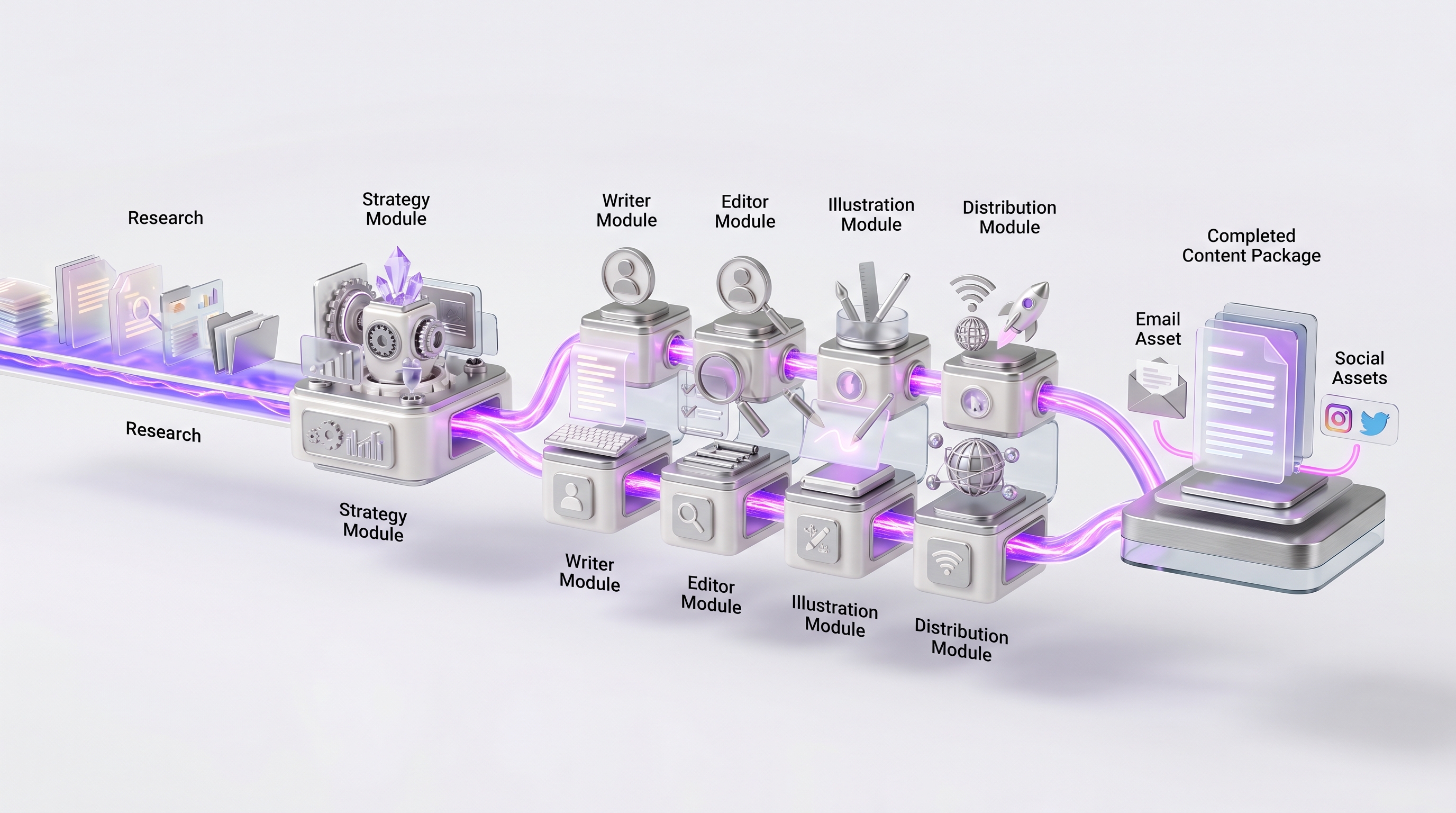
| # | Workflow | Starting authority |
|---|---|---|
| 1 | Morning owner brief | Read-only |
| 2 | Inbox triage and response drafts | Draft-only |
| 3 | Meeting prep and action-item tracking | Draft-only |
| 4 | Weekly KPI brief | Read-only |
| 5 | CRM hygiene and missing-field detection | Internal update, logged |
| 6 | Missed-lead research and response drafting | Draft-only |
| 7 | Customer-review monitoring and draft responses | Draft-only |
| 8 | Long-form content repurposing | Draft-only |
| 9 | Invoice intake and document extraction | Internal update, logged |
| 10 | Accounts-receivable reminder drafts | Draft, approval to send |
| 11 | Vendor pricing and availability monitoring | Read-only |
| 12 | Support classification and draft resolution | Draft-only |
| 13 | Cross-calendar appointment coordination | Controlled execution |
| 14 | SOP creation from recordings and documents | Draft-only |
| 15 | Landing-page or internal-tool prototype | Draft, human launch |
Real owner examples#
These are reported by owners and community members, so treat them as illustrative rather than audited ROI studies. They are useful because they show the same pattern across very different businesses: a conversational layer sitting over several existing systems.
Salon and retail

One salon owner reported using the agent to categorize invoices into supplies, retail, shipping, and freight, query point-of-sale data, segment clients by services or purchases, prepare targeted offers, watch for vendor promotions, and track sick time. The same owner described the initial setup as difficult and time consuming. That contrast is the honest part: real utility and real setup friction can both be true, which is exactly why a managed setup pays for itself.
Trucking and logistics

A small trucking operator described a workflow where the agent receives a broker email, extracts the load details, adds them to a spreadsheet, creates an invoice PDF, checks route and weather conditions, passes relevant information to drivers, and checks location before the appointment. It is a clean example of a cross-system job that blends unstructured email, structured data, and operational coordination.
Hospitality and wholesale

Another reported deployment used WhatsApp instructions to coordinate orders, bookings, invoices, payments, expenses, and dashboard or accounting updates. The lesson is the value of putting one conversational control layer over several tools you already run.
E-commerce
Reported e-commerce workflows include product descriptions, tags and titles, product imagery, blog production, storefront changes, lead research, and owner-approved outreach. The line to hold here is the difference between safe content production and noncompliant scraping or unsolicited automated outreach. We will come back to that in the safety section.
The human-approval matrix#
You assign every action an authority level and require approval where the stakes are real. Reading and drafting can run on their own. Internal updates run with logging. External messages, money, employment decisions, deletions, and access changes stay behind explicit human approval until you have proof the workflow is reliable, and the highest-stakes calls stay with a person permanently.

| Authority level | Typical actions | Default |
|---|---|---|
| Green: observe | Read permitted systems, monitor, retrieve documents | Autonomous |
| Green: summarize | Reports, briefs, anomaly lists | Autonomous, with source links |
| Green / amber: draft | Emails, posts, proposals, support replies | Auto-prepare, you spot-check |
| Amber: internal update | CRM fields, task status, internal notes | Controlled execution, logged |
| Amber / red: external message | Customer email, public post, pricing | Approval until proven |
| Red: financial commitment | Payment, refund, purchase, contract | Explicit approval every time |
| Red: employment decision | Hiring, firing, discipline, pay | Human decision |
| Red: destructive action | Delete records, revoke accounts, overwrite | Confirm, with rollback |
| Red: security access | Credentials, permissions, infrastructure | Qualified human control |
| Prohibited | Unauthorized scraping, deceptive outreach | Do not automate |
OpenClaw treats execution approvals as guardrails and recommends careful allowlisting, sandboxing, and permission design. The matrix above turns that principle into a policy you can hand to anyone on your team.
Security and governance, without the fear#
It can be, when it is configured well. Private hosting gives you control over your infrastructure and data, but a private server is not automatically a secure one. Safety comes from dedicated accounts, least-privilege access, sandboxing risky tools, approval gates, logging, spending limits, and a tested rollback plan. Done properly, you get strong control over decisions that closed platforms make for you behind the scenes.

A simple way to organize this is the structure used by the NIST AI Risk Management Framework: govern, map, measure, and manage. Assign responsibility, understand your data and systems, test for quality and failure rates, then reduce and monitor risk over time.
The security checklist
- Use dedicated business accounts, not your personal admin account
- Start read-only, then grant the minimum permissions each workflow needs
- Separate agents or workspaces by function and sensitivity
- Use an agent-specific browser profile
- Keep credentials out of prompts and model-visible notes
- Use explicit execution allowlists
- Require approval for consequential actions and sandbox risky tools
- Keep action logs, and set API and spending limits
- Back up configurations and data, and test your rollback
- Test updates in staging and pin critical versions
- Review access monthly and keep a shutdown procedure ready
OWASP's 2026 guidance for agentic systems flags the risks worth knowing: prompt injection, excessive agency, sensitive-information disclosure, supply-chain risk, and runaway resource use. The defenses are the same ones above: limit permissions, require approval, and constrain what functions are even available.
Outreach compliance
Do not let an agent run unrestricted social scraping or mass autonomous messaging. CAN-SPAM requires accurate headers, honest subject lines, proper identification, a physical address, and a working opt-out for commercial email. LinkedIn's terms prohibit unauthorized scraping and bots. The safe pattern is to monitor permitted sources, research leads through authorized methods, prepare personalized drafts, and require a person to approve outreach until the workflow has been reviewed for compliance.
What not to automate#
A credible guide tells you where the line is. Our breakdown of autonomous AI agents covers how to scale independence safely. Do not give the agent unsupervised authority over any of the following:
- Bank transfers, contract acceptance, and tax filings
- Final legal conclusions
- Hiring, firing, or compensation
- Medical or safety-critical decisions
- Security permissions and bulk data deletion
- Irreversible customer-account changes and public crisis responses
- Unverified factual claims and discounts beyond approved limits
- Mass unsolicited outreach and scraping that breaks platform terms
- Any work that cannot be audited or reversed
The 30, 60, 90-day owner rollout#
You do not need a big-bang launch. You need a staged plan that earns trust before it grants authority. Here is the one we use with owners.

Days 1 to 30: observe and draft
Prove reliability on one workflow without granting real operational risk. Inventory your recurring tasks, pick one high-frequency low-risk job, record the baseline, write a precise instruction, connect only the data it needs, and run read-only or draft-only. Review every result, log corrections and edge cases, measure time and rework, and document how to stop it. A morning brief, a meeting summary, or an internal report is a great first task.
Days 31 to 60: controlled execution
Move stable steps from preparing work to taking bounded action. Add two or three workflows, build explicit approval checkpoints, set up logs and a weekly review, add cost and rate limits, separate internal from external communication authority, and test your failure and rollback procedures. Where a step is stable and rule-based, move it into conventional automation.
Days 61 to 90: operational scale
Build a repeatable operating layer rather than a pile of experiments. Separate responsibilities by department, create reusable templates, introduce department-specific access, set a monthly access review, build KPI dashboards, track exception and rework rates, version your instructions, add a second reviewer for sensitive processes, run an incident simulation, and retire any workflow that is not producing measurable value.
ROI and cost, done honestly#
Start with a two to four week baseline, pick one primary KPI, and track agent time and human review time separately. Count exceptions and rework, include model and hosting costs, and compare like periods. Your net benefit is the value of hours recovered plus extra gross profit plus costs genuinely removed, minus operating cost and rework. Divide your setup cost by the average monthly net benefit to get payback in months.

The true cost of running an agent is more than a subscription. Count managed setup, hosting, model and API usage, third-party tools, monitoring, maintenance, your own review time, rework, security controls, and the training and process redesign that comes with any new system.
The formula
net_benefit = time_value_recovered
            + incremental_gross_profit
            + avoided_external_cost
            - operating_cost
- rework_cost- Time value recovered = verified hours saved multiplied by your loaded hourly value
- Incremental gross profit = extra converted business multiplied by gross margin
- Avoided external cost = software, contractor, or admin cost you genuinely removed
- Operating cost = hosting, models, tools, and support
- Rework cost = time spent correcting exceptions and errors
payback_months = implementation_cost / average_monthly_net_benefitOpenClaw versus the alternatives#
You have options, and the smart move is to use the right one for each job. Here is the comparison in plain business terms.

| Option | Best when | Limitation |
|---|---|---|
| ChatGPT or Claude assistant | You need help thinking, writing, or analyzing in the moment | Still depends on you to start and finish the workflow |
| Zapier, Make, or n8n | The trigger, rules, and outputs are known and stable | Weak on ambiguous decisions without added AI |
| OpenClaw-style agent | Work needs interpretation, memory, tools, and coordination | Needs access control, supervision, and reliability work |
| RPA or browser script | A fixed interface must be operated repeatedly | Breaks when interfaces change, limited judgment |
| Vertical SaaS | The industry process is standard and well served | Less flexible for unusual cross-system work |
| Human assistant | Judgment, relationships, and accountability dominate | Higher recurring cost, limited availability |
| Custom software | The process is strategic, stable, and worth investing in | Bigger build and maintenance investment |
Often yes, and that is a strength. The best architecture for many businesses is hybrid: OpenClaw interprets and coordinates the messy parts, a conventional workflow tool runs the stable rule-based steps, and a human approves the consequential decisions. One community pattern is to prototype a workflow in OpenClaw, then formalize the stable portions in n8n.
Should you self-manage or use a provider?#
OpenClaw is still, by its own description, best suited to developers and power users. That is exactly why many owners choose a managed setup: you get the capability without becoming the person who patches a server at midnight. If you do evaluate a provider, here are the questions that separate a serious one from a risky one.
- Who owns the server, accounts, configs, and resulting work?
- Can I export everything and leave?
- How are credentials stored?
- What permissions are granted by default?
- Are browser and system actions sandboxed?
- Which actions require approval, and are logs visible to me?
- How are updates tested, and what is the rollback process?
- Are model and API costs capped?
- How is my data retained or deleted, and who owns backups?
- How is success measured, and what does ongoing optimization include?
- "It is private because it is on a VPS"
- No written access matrix
- Broad admin permissions by default
- No action logs and no rollback procedure
- No cost caps and no data export
- No update policy
- No line between drafts and irreversible actions
- Guaranteed ROI or guaranteed employee replacement
Frequently asked questions#
What does OpenClaw do for a business owner?
It takes recurring information work off your plate. It can prepare your morning brief, triage your inbox, research and qualify leads, draft replies and proposals, keep your CRM clean, monitor reviews and competitors, build reports, and coordinate across your tools, all while you approve anything that carries real consequences.
Does OpenClaw require coding?
To use it day to day, no. You instruct it in plain language. Standing it up securely does take technical work, which is why owners either dedicate a capable person to it or use a managed provider so they can skip the setup and go straight to results.
Can OpenClaw work while I sleep?
Yes. It can run scheduled and background tasks, so work like overnight inbox triage, monitoring, and morning reports is ready when you wake up. You decide which of those tasks act on their own and which wait for your approval.
Can OpenClaw replace an employee?
It replaces task bundles, not whole roles. It is excellent at the recurring, definable work inside a job. It does not carry the judgment, accountability, and relationships that make up an entire position. The honest framing is added capacity, not a headcount swap.
How long before I can trust it?
Plan on a 30, 60, 90-day arc. The first month is observe and draft, the second adds bounded actions behind approval, and by the third you have a measured, repeatable operating layer. Trust is earned through review and metrics, not granted on day one.
How much does OpenClaw cost to run?
OpenClaw itself is open source. Your real costs are model and API usage, hosting, optional tools, and the time to set it up and maintain it. You control all of those with model routing, spending caps, and your choice of hosting. Most owners weigh that against the hours recovered and the capacity added, then look at payback in months.
Change log and sources#

- 2026-06-20: Initial publication. Owner-first operating manual: capability map, workflow anatomy, approval matrix, security checklist, 30/60/90 rollout, and ROI method. Verified against current OpenClaw documentation and public security guidance.
This is a living guide. We retest workflows, review the security guidance, and update the change log as OpenClaw and the wider agent ecosystem move. For authoritative product details, check the official OpenClaw documentation. For governance and security framing, the NIST AI Risk Management Framework and OWASP's agentic-security guidance are solid external references, along with FTC CAN-SPAM guidance for any email outreach.