What Is an OpenClaw AI Agent? A Plain-English Beginner Guide
A beginner guide to the OpenClaw AI agent: what it is, how it differs from ChatGPT, what it can actually do, whether it is safe, and how to get started without the technical setup.
If you have heard people talk about an OpenClaw AI agent and wondered what they actually mean, this is the plain-English answer. No jargon, no install walkthrough, just a clear explanation of what it is, what it can do, how it is different from ChatGPT, and how to use it safely. By the end you will know whether an OpenClaw AI agent is something you want, and the smartest way to get started.
An OpenClaw AI agent is an open-source AI assistant, run on your own private server, that can connect to messaging apps, remember context, use tools, and complete tasks for you. Unlike a normal chatbot that only replies with text, an OpenClaw AI agent can take action, such as managing files, summarizing emails, checking calendars, browsing the web, running workflows, and helping automate personal or business tasks.
Here is the simplest way to hold it in your head. ChatGPT is like a smart advisor: you ask, it answers. An OpenClaw AI agent is like a smart assistant that can also pick up the tools and do the work. That one difference, the ability to take action, is what makes an OpenClaw agent feel less like a chatbot and more like a capable helper that lives inside the apps you already use.

- An OpenClaw AI agent is an open-source AI assistant on your own private server that takes action, not just answers.
- It connects an AI model to memory, tools, skills, and your messaging apps.
- It is different from ChatGPT because it can do tasks across your apps and systems.
- It can be powerful, so it needs careful permissions and an approval gate from day one.
- The best first use cases are low-risk, like a daily briefing or calendar prep.
What is an OpenClaw AI agent?#

An OpenClaw AI agent is a personal AI assistant that can run on your own device or server, connect to the apps you already use, and complete tasks through tools, memory, and your instructions. OpenClaw itself is the open-source framework that turns an AI model into a working assistant. The official project describes OpenClaw as a personal AI assistant you run on your own devices, reachable through channels like WhatsApp, Telegram, Slack, Discord, iMessage, and Microsoft Teams.
The clearest way to understand an OpenClaw agent is to see its five basic parts. Each one maps to a question a beginner naturally asks.
Put those five together and you get the short version: an OpenClaw AI assistant is a brain plus rules plus memory plus tools plus a place to talk to it. As an open-source AI agent hosted on your own private server, it runs where you choose and does only what you have configured it to do.
OpenClaw AI agent vs chatbot: what is the difference?#

The difference between an OpenClaw AI agent and a chatbot fits in four words: a chatbot answers, an agent acts. A chatbot can tell you how to do something. An agent, when it has the right tools and your permission, can go and do it.
| You ask | A chatbot responds | An OpenClaw AI agent responds |
|---|---|---|
| Summarize my inbox | Tells you how to do it | Connects to email and gives you the summary |
| Schedule a meeting | Writes a suggested message | Checks your calendar and drafts the invite for approval |
| Find my latest invoice | Gives you search tips | Searches your files and surfaces the invoice |
| Watch this page for changes | Explains how monitoring works | Sets up a workflow and alerts you when it changes |
- ·Replies with text and advice
- ·Forgets most context between sessions
- ·Cannot touch your apps or files
- ▸Replies and then takes the action
- ▸Remembers context through memory
- ▸Uses tools to work across your apps, behind your approval
How does an OpenClaw AI agent work?#

Under the hood it is less mysterious than it sounds. An OpenClaw AI agent follows the same five steps every time, whether the task is tiny or complex.
- 1You give it a request
For example, check my calendar and tell me what I need to prepare for today.
- 2The model understands it
OpenClaw is model-agnostic, so it can use different AI models depending on how you set it up.
- 3It picks the right tool or skill
Skills are like apps on a phone: each one gives the agent a specific capability.
- 4The agent takes action
It reads a calendar, searches files, drafts an email, or runs a workflow.
- 5It reports back
It tells you what it did, what it found, and pauses for approval before anything sensitive.
That fourth step, taking action, is the whole point of how OpenClaw works. The agent does not just describe the task. With the right skills installed and your permission, it carries it out, then comes back to confirm. Skills expand what the agent can do, and you decide which ones it is allowed to use.
What can an OpenClaw AI agent do?#

An OpenClaw AI agent can do a surprising range of useful work when the right tools, permissions, and workflows are configured. It is not magic, and it is not perfect, but for repetitive tasks it is genuinely helpful. Here is a sampler across four areas. For the full list, see our 50 best OpenClaw use cases guide.
Personal productivity
- A daily morning briefing that pulls your day into one message
- Calendar summaries and meeting prep
- Email triage and follow-up reminders
- A personal knowledge base you can ask questions of
Business operations
- Lead follow-up and CRM updates after conversations
- Meeting prep and recap drafts
- Competitor and topic monitoring
- Pulling updates from your tools into a daily brief
Research and content
- Summarize articles and build research briefs
- Track product mentions and compare vendors
- Turn rough notes into outlines and drafts
- Organize a content calendar
Technical workflows
- Inspect files and run scripts
- Monitor servers and automate repetitive dev tasks
An OpenClaw AI agent does these things well when the workflow is clear and the permissions are scoped. Treat it as a capable assistant that needs good instructions, not a mind reader.
Why people are excited about OpenClaw#

The excitement around OpenClaw comes down to four things, and none of them require you to be a developer to appreciate.
- It takes action. OpenClaw is positioned as the AI that actually does things, from clearing inboxes to managing calendars, rather than only answering.
- It runs through apps you already use. It supports a long list of channels including WhatsApp, Telegram, Slack, Discord, Signal, iMessage, and Microsoft Teams.
- It is open source. The code is public, so developers can inspect it, modify it, and build on top of it.
- It is privately hosted and customizable. It runs on hardware you control, and you decide what it knows, what tools it can use, and what approvals it needs.
That combination, an open-source AI agent that takes action across your own apps, is what makes an OpenClaw AI assistant feel different from a hosted chatbot you visit on a website.
Is OpenClaw safe?#
OpenClaw can be safe when configured carefully, but it is not something beginners should treat casually. Because an OpenClaw AI agent can access files, apps, messages, browsers, and sometimes system commands, the setup needs strong permission controls. Security researchers have warned that agent systems expand the attack surface because they combine persistent memory, tool use, multi-channel interaction, and real autonomy. The honest answer is that safety is a setup choice, not a default you can ignore.
The good news: a handful of practical rules cover most of the risk. This is also where the approval gate, OpenClaw recommends but waits for your yes before acting, does most of the heavy lifting.

OpenClaw AI agent for business owners#

For business owners, the value of an OpenClaw AI agent is not that it is impressive AI. The value is that it removes repetitive work. The best setup is rarely the most powerful one. It is the one with the clearest workflows, the safest permissions, and the highest-value recurring tasks. For the deeper buyer playbook, read our Ultimate OpenClaw guide for business owners.
| Business need | OpenClaw AI agent use case |
|---|---|
| Missed leads | Follow up with people who booked but did not show |
| Sales prep | Summarize notes and context before calls |
| CRM hygiene | Update contact records after conversations |
| Content marketing | Turn ideas into outlines, briefs, and drafts |
| Assistant work | Calendar, reminders, inbox, and task summaries |
| Reporting | Pull updates from tools into a daily brief |
The repetitive work you dread is exactly where an OpenClaw AI agent pays off first. Pick one recurring task, scope it tightly, and keep it behind approval until you trust it.
OpenClaw vs ChatGPT: which one do you need?#

OpenClaw vs ChatGPT is the question almost everyone asks next, and the answer is usually both, for different jobs. Use ChatGPT when you want answers, writing, brainstorming, and one-off help. Use an OpenClaw AI agent when you want an assistant that lives in your apps, remembers context, uses tools, and completes recurring tasks. For a deeper breakdown, see ChatGPT vs Claude vs your own agent.
| Feature | OpenClaw AI agent | ChatGPT | Zapier / n8n |
|---|---|---|---|
| Takes action | Yes | Limited | Yes, but rules-based |
| Uses memory | Yes | Yes, depending on product | Usually no |
| Runs on your private server | Yes | No | Sometimes |
| Works through chat apps | Yes | Some | Not usually |
| Handles flexible tasks | Strong | Strong for answers | Strong for fixed workflows |
| Needs secure setup | Yes | Less local risk | Moderate |
The short version: a chatbot is great at thinking and writing, a rules-based automation tool is great at fixed if-this-then-that flows, and an OpenClaw AI agent sits in between, interpreting context and completing multi-step tasks across your apps. That flexibility is the upside, and the reason it needs stronger safety controls.
Do beginners need to install OpenClaw themselves?#

Technically, OpenClaw can be installed by anyone comfortable with terminals, servers, API keys, permissions, and troubleshooting. But most beginners care about the working assistant, not the installation. There is no shame in skipping the plumbing.
A solid OpenClaw setup involves more than running an install command. It usually means:
- Choosing where it runs
- Connecting the right channels
- Setting up memory
- Adding safe tools
- Creating approval rules
- Configuring workflows and testing real use cases
- Keeping permissions limited
A done-for-you OpenClaw setup handles where it runs, which channels connect, how memory works, what tools are allowed, and which approval rules protect you. You get a safe, useful assistant configured around your real workflows instead of a weekend of configuration.
Best first use cases for a beginner OpenClaw AI agent#

The smartest first projects are high-value and low-risk, which usually means read-mostly tasks that do not need broad write permissions. Start here, build trust, then expand.
| First use case | Why it helps | Safety level |
|---|---|---|
| Daily morning brief | One message with your day, reminders, and key updates | Low |
| Calendar prep | Know what to prepare for before each meeting | Low |
| Email summary | See what matters without opening every thread | Low to medium |
| Meeting notes cleanup | Turn messy notes into clear recaps | Low |
| File finder | Find the document you half-remember | Low |
| Follow-up reminder | Nudge you about the thread you owe a reply | Low |
| Business lead follow-up | Draft outreach to no-shows for your approval | Medium |
A daily briefing is the classic first build because it summarizes your calendar, reminders, and notes without needing permission to change anything. If you want a worked example, see how to set up a daily morning briefing with OpenClaw.
Common mistakes beginners make with OpenClaw#

Most early frustration comes from a short list of avoidable mistakes. Knowing them upfront saves you the painful version of the lesson.
- Giving too much access too soon
- Installing too many skills before testing any of them
- Expecting perfect accuracy and skipping review
- Mixing personal and business workflows in one place
- Not documenting clear instructions
- Using it for sensitive financial activity too early
- Thinking OpenClaw is just ChatGPT in another app
Who should use an OpenClaw AI agent?#

An OpenClaw AI agent is a strong fit for some people and a poor fit for others, and it is worth being honest about which group you are in today.
- ·You want zero setup and zero review
- ·You will not check what the agent does
- ·You need guaranteed accuracy for sensitive decisions
- ·You are not comfortable granting app permissions
- ▸Business owners, operators, and founders
- ▸Consultants and productivity-focused professionals
- ▸People who already juggle many digital tools
- ▸Anyone willing to review actions and scope permissions
Final answer: what is an OpenClaw AI agent?#
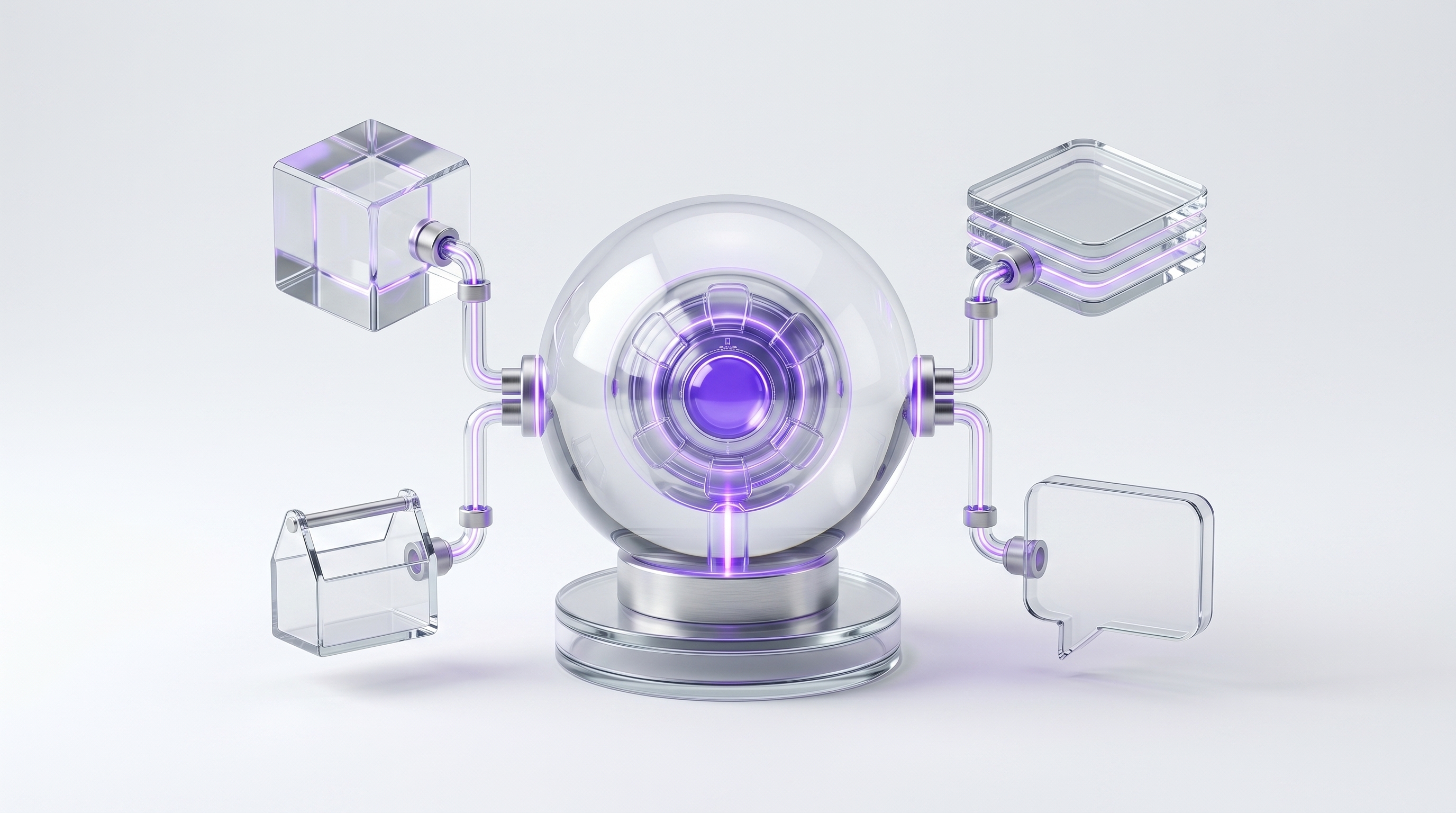
An OpenClaw AI agent is an open-source personal AI assistant that connects an AI model to memory, tools, skills, workflows, and messaging apps so it can do useful work for you. Unlike a normal chatbot, it is designed to take action, not just answer questions. For beginners and business owners, the real value is using OpenClaw to automate repetitive tasks like email summaries, calendar prep, research, reminders, file lookup, and workflow follow-up. The key is setting it up safely, with the right permissions, tools, and approval rules.
A quick glossary
| Term | Plain-English meaning |
|---|---|
| AI agent | AI that can take action using tools, not just reply |
| OpenClaw | Open-source personal AI assistant framework |
| Model | The AI brain, such as GPT, Claude, Gemini, or a local model |
| Skill | A capability you can add to the agent |
| Tool | Something the agent can operate, like email or files |
| Memory | Stored context the agent can use later |
| Channel | Where you talk to the agent, like Telegram or Discord |
| Private hosting | Runs on your own device or server |
| Approval gate | A checkpoint before the agent takes a sensitive action |
| Workflow | A repeatable task process |
Frequently asked questions#

What is an OpenClaw AI agent?
An OpenClaw AI agent is an open-source AI assistant, run on your own private server, that connects an AI model to memory, tools, and messaging apps so it can take action for you. It can summarize emails, check calendars, find files, browse the web, and run workflows, all behind permissions you control.
Is OpenClaw the same as ChatGPT?
No. ChatGPT is mainly a conversational AI assistant. OpenClaw is an agent framework that connects AI models to tools, messaging channels, memory, and workflows so the assistant can take action, not only reply.
What can an OpenClaw AI agent do?
With the right tools and permissions, it can summarize your inbox, prepare for meetings, find files, monitor topics, draft messages, update records, and run scheduled workflows. It does these things when you have configured the tools, permissions, and workflows.
Does OpenClaw run locally?
Yes. OpenClaw can run on user-controlled devices or infrastructure. The official materials describe it as a personal AI assistant you run on your own devices.
Is OpenClaw open source?
Yes. OpenClaw is an open-source project, which means the code is publicly available for developers to inspect, modify, and build on.
Is OpenClaw safe?
It can be safe when configured carefully, but it requires permission controls because agent systems can access tools, files, messages, and workflows. Start with limited permissions, keep write actions behind approval, and vet any third-party skills.
Do I need to know how to code to use OpenClaw?
You do not need to be a developer to understand what OpenClaw does, but setup can be technical. Beginners often benefit from a done-for-you configuration so they get the working assistant without the plumbing.
What is the best first OpenClaw use case?
A daily briefing is one of the safest first use cases because it can summarize calendar events, reminders, emails, and notes without needing broad write permissions.
Can OpenClaw help a business owner?
Yes. Business owners use an OpenClaw AI agent for lead follow-up, CRM updates, meeting prep, calendar summaries, research, reporting, and internal knowledge lookup.
What is the difference between OpenClaw and automation tools like Zapier?
Zapier-style tools are usually rule-based: when this happens, do that. An OpenClaw AI agent is more flexible because an AI model can interpret context, choose tools, and complete multi-step tasks. That flexibility also means it needs stronger safety controls.
You now know what an OpenClaw AI agent is, how it differs from ChatGPT, what it can do, and how to keep it safe. The next step is choosing where it should live and what to connect first.
Start with the best chat apps for OpenClaw and the Ultimate OpenClaw guide for business owners. We can also set up your OpenClaw AI agent around your tools, your tasks, and your safety rules, so you skip the configuration and go straight to using it.
Want your own OpenClaw AI agent, set up right?
We install, secure, and maintain your personal AI agent on private infrastructure, tuned to exactly how you work. You get the power without managing the setup.
Book Your Free Setup Call→The Owner's Guide to Adopting AI the Right Way
A short, practical guide for entrepreneurs: how to take charge of your AI, what your first AI agent should do, and the mistakes that cost months of rework. Get it free.