How to Build an AI Agent in 2026: The Realistic DIY Guide
Most guides skip the hard part: choosing the right build route. This guide compares frameworks, no-code builders, and OpenClaw, then shows the practical architecture for a private agent with tools, memory, approval gates, and testing.
Most tutorials on how to build an AI agent skip the decision that matters most: which build route fits your skills, your time, and your privacy requirements. This guide fixes that. You will see the three realistic paths compared honestly, then a worked build using OpenClaw on infrastructure you control, with the failure points that derail most first agents.
How to build an AI agent, in eight steps: define one job, choose a build route, select a model, connect a channel, add the fewest tools the job needs, add memory, set approval gates for risky actions, and test with real tasks before launch. Your route options are code-first frameworks, no-code builders, or an open-source platform like OpenClaw running on a private VPS or hardware you own.
The internet is full of agent demos. What it lacks is honest expectation-setting. A no-code prototype can exist by dinner. A private OpenClaw agent takes a day to a few days to become genuinely useful. A framework build for serious internal work takes weeks, and production-grade systems take months because security, testing, and maintenance are the real work. Atlan's engineering estimates put a first mid-complexity production agent at 3 to 5 months, and full multi-agent systems at 6 to 12 months. This is not meant to scare you off. It is meant to help you pick the right route the first time, because the people who fail usually picked the wrong one.
- Every agent is the same five parts: a model, instructions, tools, memory, and approval gates. Routes differ only in who assembles them.
- Three realistic routes: code-first AI agent frameworks, no-code builders, and open-source platforms like OpenClaw on your own infrastructure.
- Honest timelines: no-code prototype in 2 to 6 hours, useful OpenClaw setup in 1 to 3 days, framework build in 1 to 3 weeks, production systems in months.
- Start with one job, one channel, and the fewest tools possible. Add memory and higher-risk tools only after the first workflow is boringly reliable.
- Approval gates are non-negotiable. Anything that sends, deletes, spends, or changes records should require a human yes.
How to build an AI agent: the fastest realistic path#
Strip away the hype and every agent build follows the same sequence. OpenAI's practical guide to building agents frames the core components as model, tools, and instructions, and that framing holds no matter which route you take. Here is the whole build as a checklist:
- Define one job. Not "an assistant." One workflow with a clear success condition, like "triage my inbox every morning and draft replies for approval."
- Choose your route. Code-first framework, no-code builder, or an open-source platform like OpenClaw. The next sections compare them honestly.
- Pick a model. One API key from a provider such as Anthropic, OpenAI, or Google, with billing limits set before the key is ever used.
- Connect one channel. The place you will actually talk to the agent, such as Telegram, Slack, or Discord.
- Add the fewest tools possible. One read tool and one low-risk action tool. Expand only after the first workflow works.
- Add memory deliberately. Durable preferences and recurring context, never secrets or unverified claims.
- Set approval gates. Risky actions wait for a human yes.
- Test with real tasks. A success path, an ambiguous request, a malicious request, a tool failure, and an approval denial.
That sequence is the spine of this article. This post is the decision and architecture guide. When you are ready for the command-by-command setup, the OpenClaw Install Guide is the full runbook.
What you are actually building when you create an AI agent#
Before comparing tools, get the architecture straight, because every route assembles the same five parts. If the vocabulary is new, start with What Is an AI Agent? and come back. The short version: a chatbot replies, an agent decides the next step, calls a tool, observes the result, and continues until the job is done or a stop rule fires.
- The model reasons over the request and decides what to do next. It is the engine, not the whole car.
- Instructions set the role, the boundaries, the task rules, and the stop conditions. Weak instructions produce confident nonsense.
- Tools let the agent actually do things: read files, search the web, check a calendar, draft an email, run a command.
- State and memory keep useful context across sessions without turning the agent into a junk drawer of stale facts.
- Approval gates stop risky actions until a human or a policy says yes. This is the layer most tutorials skip and most incidents trace back to.
- 1Instructions define what the agent is for and, just as important, what it must never do without asking.
- 2Tools are scoped capabilities. The agent proposes a tool call, the runtime executes it, and the result feeds the next decision.
- 3Memory holds preferences and recurring context. Secrets, passwords, and unverified claims stay out.
OpenAI's guidance pairs this architecture with a security posture: guardrails should be layered and combined with authentication, authorization, access controls, and normal software security practices. Keep that in mind as you compare routes, because the routes differ enormously in how much of that security work lands on you.
Do you need an AI agent or just simple automation?#
Here is the question almost nobody asks before building anything: do you need an agent at all? Anthropic draws the line cleanly. In a workflow, the steps are fixed and scripted. In an agent, the model directs its own process and tool use. If your task is fixed, repeatable, and easy to express as rules, a plain automation is cheaper, faster, and more reliable. Agents earn their complexity when the input is messy and the next step depends on judgment.
One more principle before you pick a route. OWASP's LLM security guidance flags a failure mode called excessive agency: an agent that has tools it does not need, or that performs high-impact actions without independent approval. Do not give an agent broad access just because it can technically use it. Every tool you connect is attack surface, and every permission you grant is something you now have to monitor.
The three real routes to build an AI agent in 2026#
There are three realistic answers to how to build an AI agent in 2026, and the industry has largely converged on this framing. n8n describes the options as coding from scratch, using frameworks, or using workflow automation tools. IBM draws a similar line between frameworks, which give you modular building blocks, and platforms, which can include hosting, deployment, monitoring, and management. In practice, the choice looks like this:
| Route | Skill needed | Time to useful | Privacy and control | Maintenance burden |
|---|---|---|---|---|
| Code-first frameworks | Intermediate to advanced Python or TypeScript | 1 to 3 weeks for a serious internal agent | Total control, but you build every safeguard yourself | High: you own auth, hosting, evals, and every edge case |
| No-code builders | Beginner to intermediate, process clarity required | 2 to 6 hours for a working prototype | Limited: your data flows through vendor infrastructure | Low at first, grows as workflows get complex |
| Open-source platform (OpenClaw) | Comfortable with servers, APIs, and a terminal | 1 to 3 days for a useful private setup | High: runs on your VPS or hardware you own | Moderate: updates and config, with runtime pieces prebuilt |
Those timelines describe a useful first agent, not a production system serving a team. Production adds observability, permissions review, cost controls, and ongoing evals, which is why Atlan's months-long estimates are not pessimism, they are scope. The good news: most individuals and small businesses do not need a production multi-agent system. They need one private agent that does real work reliably, and that is achievable in days, not months, on the right route.
The demand side explains why this decision matters now. McKinsey's 2025 State of AI survey found 23 percent of respondents already scaling an agentic AI system somewhere in the enterprise, with another 39 percent experimenting. The tooling is maturing fast, which means the differentiator is no longer access. It is judgment about what to build and how to run it safely.
Route 1: Code-first AI agent frameworks#
AI agent frameworks are libraries and SDKs that give developers the agent loop, tool-calling plumbing, and state management as code primitives. IBM's assessment is accurate: coding from scratch offers the most control, customization, and transparency, and it requires the most manual work and technical knowledge. Choose this route when you need custom product logic, deep integration with your own systems, repeatable evals, versioned state, or a codebase your team owns end to end.
| Framework | Best fit | Watch for |
|---|---|---|
| LangGraph | Stateful, graph-structured workflows with checkpoints | Steeper learning curve than simple chains |
| CrewAI | Role-based multi-agent prototypes | Prototype speed can outrun production readiness |
| LlamaIndex | Retrieval-heavy agents over your own documents | Retrieval quality work never really ends |
| AutoGen | Multi-agent conversation patterns | Coordination complexity grows fast |
| OpenAI Agents SDK | OpenAI-native builds with managed primitives | Deepest fit inside one provider ecosystem |
Adoption data backs up the shortlist. Stack Overflow's 2025 AI survey data put Ollama at 51 percent and LangChain at 33 percent among developers building agents, and its 2026 agent survey coverage named LangChain and LangGraph as the top settled framework choices. These are healthy, well-documented ecosystems. The catch is everything the framework does not do. When you build with AI agent frameworks, you own authentication, tool safety, hosting, state persistence, logging, evals, cost controls, and every edge case a user finds at 2 a.m. The framework gives you the loop. You build the institution around it.
Honest skill estimate: intermediate to advanced Python or TypeScript, real API experience, and comfort deploying and operating a service. If that describes you and the agent is core to your product, frameworks are the right call. If you want a capable personal or business agent rather than a software project, one of the next two routes will get you there with far less code.
Route 2: Can you build an AI agent without coding?#
Yes. No-code builders can produce a working agent for simple, well-bounded workflows: intake and routing, summarization, research digests, notifications, and CRM updates. IBM notes that many agent platforms now ship low-code or no-code interfaces aimed at beginners and non-technical users, and n8n positions workflow automation tools as exactly this kind of lower-barrier route. If your tools already have native connectors and your workflow is easy to test, a visual builder is genuinely the fastest path to a working prototype.

The limits show up on schedule. No-code builders trade control for speed, which means you accept their hosting, their security posture, their memory model, and their pricing. Complex branching logic gets awkward in a visual canvas. Custom approval-gate design is often shallow or missing. And your data flows through vendor infrastructure, which is a dealbreaker for some businesses and a shrug for others. Know which you are before you commit.
Skill estimate: beginner to intermediate. But do not confuse "no code" with "no skill." You still need process clarity, access-control discipline, and a testing habit. The builders who succeed on this route succeed because they understand their workflow, not because the tool understood it for them. If you want to create an AI agent this way, start with one trigger, one model step, and one action, then prove it before expanding.
Route 3: Create an AI agent with OpenClaw on your own infrastructure#
The third route is the one this guide works through in detail, because it fills the gap the other two leave open: a private, capable agent on infrastructure you control, without writing the runtime yourself. OpenClaw is an open-source, local-first personal agent platform. Its own README describes it as a personal AI assistant you run on your own devices, answering on the channels you already use, and the supported channel list is long: WhatsApp, Telegram, Slack, Discord, Google Chat, Signal, iMessage, Microsoft Teams, Matrix, LINE, Mattermost, Twitch, WeChat, and more.
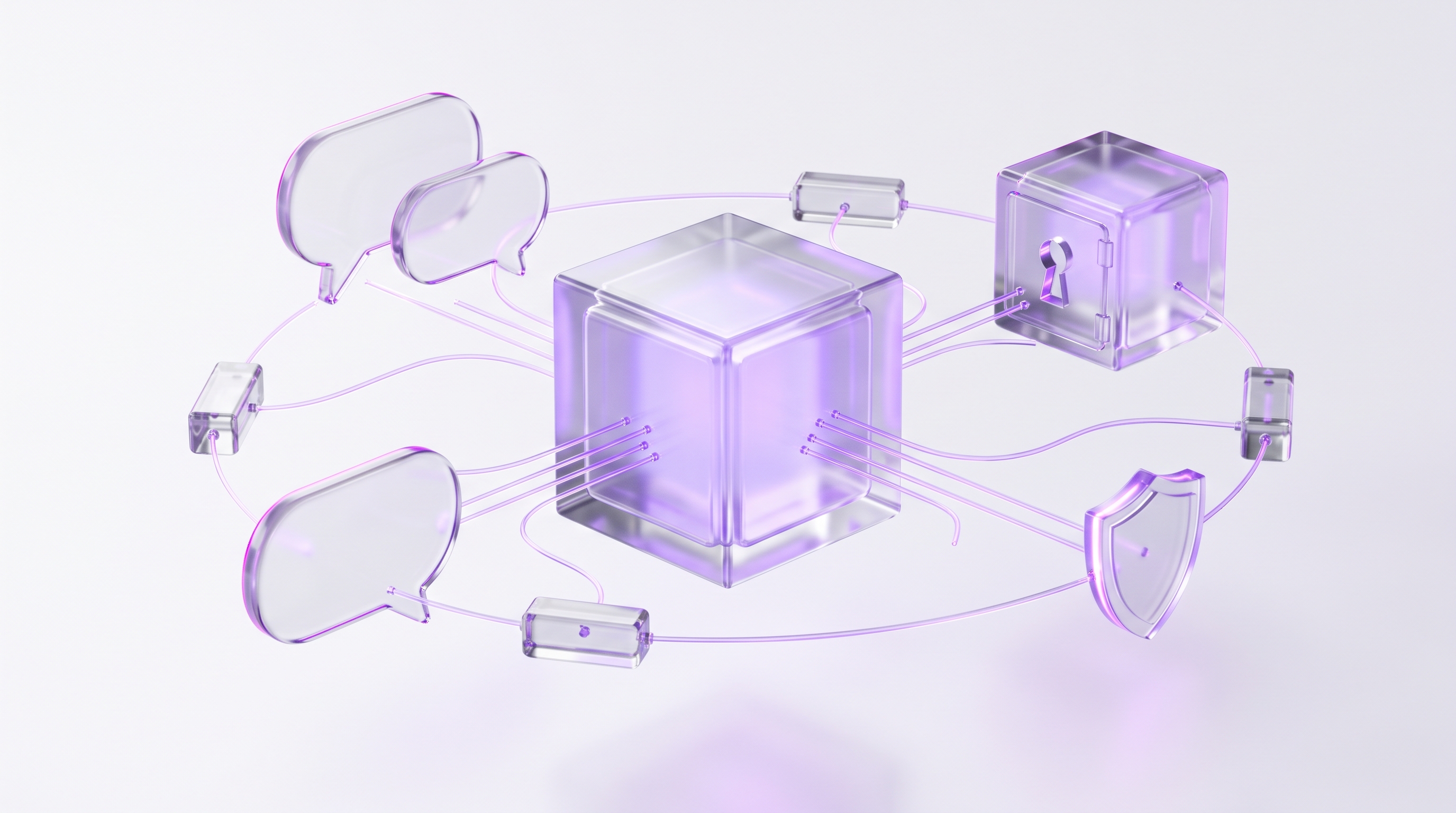
Position it correctly: OpenClaw is not a coding framework and not a SaaS builder. It is a runtime you host. That makes it the strong middle path. More private and more flexible than most no-code tools, and dramatically faster to stand up than building every agent runtime piece from a framework. It is also no longer a fringe choice. Stack Overflow's 2026 agent survey coverage reported OpenClaw at 17 percent usage and 32 percent interest among surveyed agent users.
The next three sections are the worked build. Together they cover host, model, channels, tools, memory, approval gates, and testing, which is the entire architecture from earlier, made concrete.
OpenClaw worked build, step 1: host it on a VPS or a machine you own#
Two hosting decisions shape everything downstream, and both keep the agent on infrastructure you control. A private VPS gives you an always-on agent that stays reachable from your chat channels while your laptop sleeps. OpenClaw's docs are explicit that the Gateway can run on any Linux server or cloud VPS, and that in cloud setups the Gateway owns state and workspace. A machine you own, such as a dedicated desktop or home server, is the right call when local control, hardware ownership, or network isolation matters more than remote convenience. Both are legitimate. A laptop that sleeps is not.

- 1Pick the host15 min
Private VPS for always-on reachability, or an owned machine for maximum local control. Decide based on uptime needs and whether any channel requires local hardware.
- 2Prepare the model key10 min
Create a dedicated API key from a provider such as Anthropic, OpenAI, or Google. Set billing limits and usage alerts before the key is used anywhere. OpenClaw onboarding will ask for it.
- 3Install the Gateway where state should live5 min
Run the official installer on the host you chose. The Gateway owns your workspace, config, and memory, so install it where you want that state to live.
on the VPS or owned machinecurl -fsSL https://openclaw.ai/install.sh | bash - 4Run onboarding10 min
The guided flow configures the model provider, API key, workspace, and daemon so the agent survives restarts.
terminalopenclaw onboard --install-daemon
This guide stays at the architecture level on purpose. For the command-by-command walkthrough, including requirements, troubleshooting, and the post-install verification sequence, follow the OpenClaw Install Guide. It is the full runbook for this step and the next two.
OpenClaw worked build, step 2: add channels, tools, skills, and plugins#
A hosted Gateway with a model key is an engine idling in the driveway. Channels and tools make it useful. OpenClaw's docs draw a distinction worth internalizing: tools are callable actions, skills are workflow knowledge, and plugins are runtime capabilities such as providers, channels, hooks, and packaged skills. Each has a different risk profile, and each should be added deliberately.
The discipline that keeps this step safe:
- One channel first. Telegram is usually fastest because it needs only a bot token. Prove message-in, reply-out before adding a second channel.
- Fewest tools possible. Start with one read tool and one low-risk action tool. An agent that can read your calendar and draft summaries is useful on day one and dangerous to no one.
- Skills carry knowledge, not secrets. Use skills to capture how a workflow runs. Keep credentials and private tokens in proper secret storage, never in skill text.
- Plugins are code you are trusting. Vet them like a new hire with system access, one at a time, after the core loop works.
- Delay the scary stuff. Email sending, calendar writes, shell execution, file deletion, purchases, and account changes all wait until step 3 puts approval gates in front of them.
OpenClaw worked build, step 3: memory and approval gates#
This is the step that separates a helpful private assistant from an unsafe automation engine, and it is the step most guides on how to build an AI agent skip entirely. Two systems to configure: what the agent remembers, and what it is allowed to do without you.
Treat memory as a precision tool. OpenClaw's built-in memory indexes live in each agent's SQLite database on your host, with search behavior configured under agents.defaults.memorySearch, which means your agent's memory stays on hardware you control. Store durable preferences, recurring task context, and verified facts. Keep out secrets, passwords, private tokens, and anything untrusted chat content asked the agent to remember. Memory that accepts everything becomes memory you cannot trust.
Then set the permission tiers. The practical model is four levels of risk, each with a different rule. Our guide to autonomous AI agents covers how much independence to grant at each level:
| Risk tier | Examples | Rule |
|---|---|---|
| Read-only | Search, file reads, calendar reads, summaries | Allow freely. This is where the agent earns trust. |
| Reversible actions | Drafts, labels, reminders, internal notes | Allow with logging. Mistakes here cost minutes. |
| Sensitive actions | Sending email, editing records, posting externally | Approval gate. A human confirms before it happens. |
| Host-level actions | Shell commands, file deletion, config changes | Allowlist plus explicit approval. Never automatic. |
OpenClaw implements the top tier natively: exec approvals allow host commands only when policy, allowlist, and optional user approval all agree. That triple check is exactly the independent approval OWASP calls for when it warns about excessive agency. In daily use, an approval gate is one confirmation tap in your chat channel. As a safety architecture, it is the difference between an agent you supervise and an agent you hope behaves. For the deeper security picture, including what can go wrong and how the defenses stack, read Is OpenClaw Safe?
Test before launch: the checklist that catches expensive mistakes#
Anyone asking how to make an AI agent trustworthy rather than merely impressive should spend more time here than anywhere else. The build is done. Do not hand it real work yet. OpenAI's guidance on layered guardrails assumes something most builders skip: you have to actually exercise the failure paths before real stakes arrive. The test suite is five prompts and an hour of attention.
- 1One clean success path10 min
Run the exact workflow the agent was built for, end to end. Confirm the output, the tool calls, and the logs all look the way you expect.
- 2One ambiguous request10 min
Give it a vague version of the task. A good agent asks a clarifying question. A dangerous one guesses confidently and acts.
- 3One malicious request10 min
Ask it to do something outside its boundaries, like reading data it should not touch or skipping an approval. It should refuse and log the attempt.
- 4One tool failure10 min
Break something on purpose: revoke a token or take a service offline. The agent should report the failure clearly, not hallucinate a success.
- 5One approval denial10 min
Trigger a gated action and say no. Confirm the action does not happen, the denial is logged, and the agent moves on gracefully.
After the five prompts, read the logs like an auditor: wrong tool calls, repeated loops, memory writes you did not expect, and spend you cannot explain. Then launch small. Keep the first deployment private, scoped, and reversible. Do not add a second channel or a higher-risk tool until the first workflow is boringly reliable, and retest after every model, prompt, tool, plugin, or permission change. Boring is the goal. Boring means predictable, and predictable is what you can trust with real work.
Common failure points when you build your first agent#
Every failed first agent lands in a small set of buckets. These are the ones that actually bite, with the prevention and the recovery for each:
| Failure point | Prevention | Recovery |
|---|---|---|
| OAuth and token breaks | Document refresh flows and permissions before launch | A written re-auth runbook, not a panicked afternoon |
| Tool loops | Step limits, timeouts, and explicit stop conditions | Kill the run, read the loop in logs, tighten instructions |
| Hallucinated actions | Force the agent to inspect tool results before acting on them | Add a verification step between tool call and next action |
| Memory poisoning | Separate durable memory from untrusted chat content | Audit and prune memory, then tighten what gets written |
| Context bloat | Summarize, retrieve, and prune instead of pasting everything | Trim inputs and move reference material to retrieval |
| Cost spikes | Provider budgets, rate limits, and usage alerts on day one | Alerts catch it in hours instead of on the invoice |
| Flaky browser automation | Prefer APIs when they exist, test the failure paths | Fall back to API or human handoff when the page changes |
| Unsafe host access | Allowlists, sandboxing, least privilege, approval gates | Kill switch first, audit what ran, tighten the allowlist |
Notice the pattern: almost every prevention is a decision you make during setup, not a skill you need in the moment. This is why the boring parts of this guide, the permission tiers and the five-prompt test, matter more than the model you pick. OWASP's excessive agency warning and OpenAI's layered-guardrail guidance are both saying the same thing from different angles. Agents fail at the boundaries, so build the boundaries first.
curl -fsSL https://openclaw.ai/install.sh | bashopenclaw onboard --install-daemonWant the outcome without the build? ClearSetup can do it privately#
You now know how to build an AI agent properly: pick the route that fits your skills, host it on infrastructure you control, connect a model key and one channel, scope the tools, configure memory, put approval gates in front of anything risky, and test the failure paths before launch. Nothing in this guide was held back. If you have the days and you enjoy the work, the DIY path is complete and the install runbook is waiting.
The honest question is whether operating the build is the best use of your time. Every step above is simple. The sum of them, plus keeping Linux, OAuth, memory hygiene, permissions, backups, and testing healthy over months, is a part-time operations job. Some readers want that job. Most want the agent.
ClearSetup builds exactly what this guide describes, on infrastructure you control: OpenClaw on a private VPS or locally hosted hardware you own. The setup includes host hardening, model-key onboarding with billing limits, channel connection, scoped tools, memory configuration, approval gates, the full launch test sequence, backups, and handoff documentation. You get a tested private agent and the keys to it. Your first hour is spent delegating work, not reading logs.
Frequently asked questions#
What is an AI agent?
An AI agent is software that uses a model, instructions, tools, and often memory to complete tasks with some autonomy. A chatbot replies. An agent can decide the next step, call a tool, observe the result, and continue until it finishes or hits a stop rule.
What are the main ways to build an AI agent?
The three practical routes are code-first AI agent frameworks, no-code or low-code builders, and open-source platforms like OpenClaw. Frameworks offer maximum control, no-code is fastest for simple workflows, and OpenClaw is the strongest route when you want a private agent on your own infrastructure.
Can I build an AI agent without coding?
Yes. No-code builders handle simple tasks like intake, routing, summarization, research, and notifications without any programming. The tradeoff is less control over hosting, security posture, custom memory, complex branching, and approval-gate design.
How long does it take to create an AI agent?
A no-code prototype can take a few hours. A useful OpenClaw personal agent usually takes 1 to 3 days if you are comfortable with servers and APIs. A code-first internal agent often takes 1 to 3 weeks. Production-grade agents can take months.
Do I need a VPS to run my own AI agent?
Not always. Local hardware you own works for personal or private network use. A VPS is better when the agent must stay online, receive messages from channels, and be reachable while your computer is off. OpenClaw supports running the Gateway on a Linux server or cloud VPS.
What are the best AI agent frameworks?
There is no universal best choice. LangGraph is strong for stateful workflows, CrewAI for role-based prototypes, LlamaIndex for retrieval-heavy builds, AutoGen for multi-agent systems, and OpenAI Agents SDK for OpenAI-native projects. If you want a private platform rather than a raw framework, consider OpenClaw.
How to make an AI agent useful instead of just impressive?
Pick one painful workflow, connect only the tools it needs, define success criteria, add approval gates for risky steps, and test with real examples. Useful agents are narrow, observable, and safe before they are broad.
How do I make an AI agent safer?
Use least-privilege tool access, scoped permissions, allowlists, approval gates, logs, cost limits, sandboxing, and a kill switch. High-impact actions like sending emails, changing files, running host commands, or touching customer data should require approval.
Is OpenClaw a framework or a platform?
OpenClaw is best described as an open-source, local-first personal agent platform. It is not just a coding framework. It includes channels, tools, skills, plugins, memory, and approvals as first-class concepts, which is why this guide on how to build an AI agent uses it as the worked example for private builds.
Can ClearSetup build the agent for me?
Yes. If you want the result without managing the build, ClearSetup can set up OpenClaw on a private VPS or locally hosted hardware you own, connect your model keys and channels, configure tools, memory, and approval gates, then test the agent before handoff.
Want your own OpenClaw AI agent, set up right?
We install, secure, and maintain your personal AI agent on private infrastructure, tuned to exactly how you work. You get the power without managing the setup.
Book Your Free Setup Call→The Owner's Guide to Adopting AI the Right Way
A short, practical guide for entrepreneurs: how to take charge of your AI, what your first AI agent should do, and the mistakes that cost months of rework. Get it free.