Shopping for an AI assistant for business is confusing on purpose. Every vendor promises an AI employee that runs your company while you sleep, and almost none of them explain what it actually costs, what it should handle first, or what keeps it from sending something embarrassing to a customer. This playbook covers all three: the task map, the real numbers, and the approval gates that keep you in control.
An AI assistant for business helps owners and teams handle repeatable admin work: inbox triage, follow-ups, meeting prep, research, reporting, and CRM updates. Connected to your tools, it can draft, summarize, recommend, and update records, with human approval required before sending, deleting, buying, or changing anything important.
Here is the short version of everything below. A business AI assistant earns its keep on frequent, low-risk work. The honest cost is more than the subscription because your setup time is the biggest line item. And the safest rollout starts in draft mode, where the assistant prepares work and you approve the risky step. If you run a lean team and want an ai assistant for small business that actually ships, start with one workflow, not twelve.
- A business AI assistant drafts, summarizes, researches, and prepares actions across your tools. It should not send, delete, or buy anything without approval.
- The real cost of an AI agent includes software seats, API usage, and the owner hours spent on setup, testing, and monitoring, not just the sticker price.
- Published pricing spans from $3/user/month for Amazon Q Business to $25/user/month for ChatGPT Business to $297/month for three productized agents.
- ROI math is simple: recovered time plus recovered revenue plus avoided rework, minus software, usage, and amortized setup.
- Launch one workflow in week one, measure for a month, and expand only after clean logs and verified wins.
What an AI assistant for business does#
An AI assistant for business is software that uses your company context to draft, summarize, retrieve information, and prepare actions across the tools you already run: email, calendar, CRM, docs, chat, finance, and support. Amazon describes its Q Business product as an assistant for finding information, generating content, and taking actions across connected applications, and that is a fair summary of the category as a whole.
The difference from a generic chat tab matters. ChatGPT in a browser answers questions. A business AI assistant works inside your approved tools and follows your company rules. Ask a chat tab about a customer and you get generalities. Ask a connected assistant and it pulls the thread history, the CRM record, and the open invoice, then drafts the reply for you to approve. This shift from answering questions to taking action is what the industry calls agentic AI.
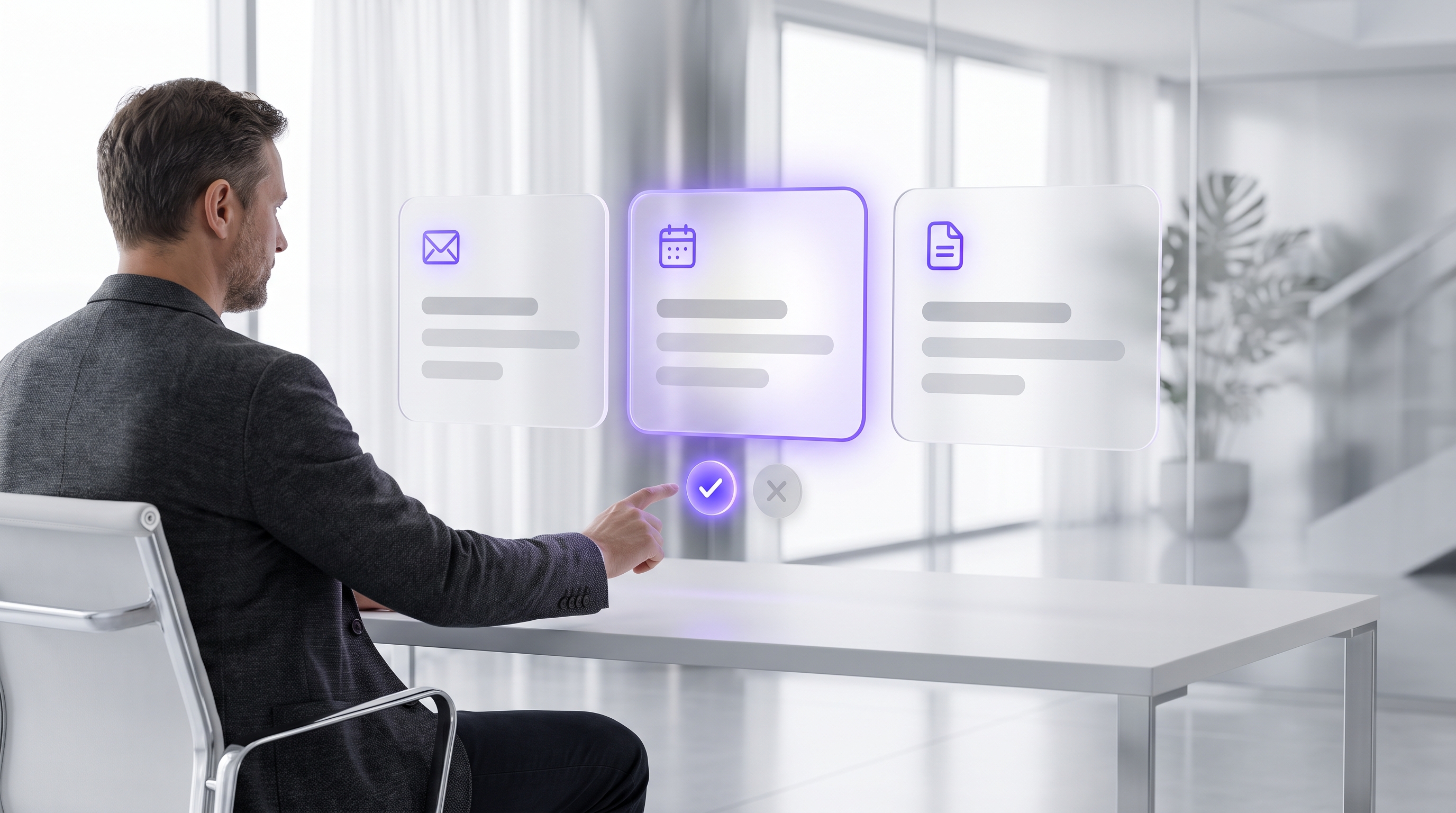
Set the safety standard on day one. The assistant can read freely, reason freely, and draft freely. It can recommend and prepare any action. But approval gates control every external, destructive, or financial step. That single rule is what separates a useful system from a liability, and it is the standard this entire guide is built around.
- ·Answers questions from general knowledge
- ·Knows nothing about your customers or pipeline
- ·You copy-paste results into your real tools
- ·No permissions, no logs, no accountability
- ▸Reads your email, CRM, calendar, and docs with scoped access
- ▸Drafts replies, briefs, and reports in context
- ▸Prepares actions and waits for your approval
- ▸Every output and approval is logged for review
The owner task map: what to hand off first#
Skip the abstract capability lists. Here are the six workflows where a business AI assistant pays for itself fastest, because they are frequent, repeatable, and safe to gate behind a review step. Microsoft's small-business guidance points at the same territory: scheduling, customer support, data entry, marketing, invoice handling, and review analysis.
- Inbox triage. Summarize threads, flag urgent messages, sort the low-value noise, and draft responses for your review.
- Follow-ups. Prepare no-response nudges, quote reminders, meeting recaps, appointment reminders, and next-step tasks.
- Meeting prep. Pull recent emails, CRM notes, open tasks, account history, and decision points before every call.
- Research. Summarize prospects, competitors, vendors, and customer questions into source-backed briefs.
- Reporting. Draft weekly sales, pipeline, support, ops, and cash-flow summaries from your connected systems.
- CRM hygiene. Suggest missing fields, flag duplicates, convert call notes into structured activity, and update statuses after approval.
Notice what is not on the map: firing decisions, refunds, contracts, payroll. An ai assistant for small business should start where mistakes are cheap and reversible. You can expand later. You cannot un-send an email.
The AI employee framing, useful but not literal#
Vendors love the phrase AI employee. Used carefully, it is a helpful management metaphor. The assistant can take repeatable work off your plate the way a junior hire would. But it is not a legal employee, it does not have judgment, and it should never operate without boundaries.
Treat it exactly like a junior operations hire on their first week. Give it SOPs, examples, tool access, limits, quality checks, and a manager. That manager is you. Keep human judgment on exceptions, angry customers, brand-sensitive replies, payments, contracts, and anything touching legal, medical, or financial advice. If you are weighing this against hiring a human helper, our AI virtual assistant guide covers that comparison in detail.
The adoption data supports the measured framing. U.S. Chamber Foundation research found that half of small-business workers use AI at work, and six in ten of those users reinvest the saved time into more and better work. At the same time, Stanford HAI's 2026 AI Index reports that organizational AI adoption reached 88% in 2025 while actual AI agent deployment stayed in the single digits across nearly every business function. Translation: everyone is experimenting, almost nobody has production agents running unsupervised, and the winners are using AI for capacity, not headcount replacement.
One more expectation to set. Ignore any page that promises a specific dollar figure the assistant will save you before it knows your business. Measure your own workflows instead: time saved, faster follow-up, cleaner CRM records, and recovered revenue. Those numbers exist in your systems, and the ROI section below shows how to pull them.
Why OpenClaw works well for a business AI assistant#
Most assistant products hand you another app to check. OpenClaw takes the opposite approach: it is a workflow layer that lives in the chat tools you already use, connects to your email, calendar, CRM, and docs, and turns the assistant into repeatable workflows tied to your SOPs and review steps. You message it, it does the work, and it asks before it acts.
- 1Scoped read access to the sources the workflow needs, nothing more.
- 2The agent drafts and recommends inside your rules and tone guide.
- 3Risky steps pause at the gate. You approve, edit, or reject in chat.
The practical advantage is scope. OpenClaw works best when the workflow is narrow, documented, and measurable, which is exactly how you should deploy your first one. Do not automate the whole company. Pick one workflow from the task map above, wire it up, and prove control. Our guide on what to automate first with OpenClaw walks through that selection step by step, and the ultimate OpenClaw guide for business owners covers the full platform picture.
This is also where ClearSetup fits. We configure OpenClaw around your actual approval gates, escalation rules, data sources, and preferences, so the assistant arrives already shaped to how you run the business instead of a blank box you have to train at midnight.
AI agent cost: DIY hours vs done-for-you setup#
Here is the part vendor pages skip. The subscription is the smallest slice of your real ai agent cost. The biggest DIY line item is your own time: mapping workflows, cleaning up SOPs, setting permissions, connecting tools, writing instructions, testing outputs, and monitoring quality after launch. None of that shows up on a pricing page.
For the software itself, published numbers give you the range. OpenAI lists ChatGPT Business at $25 per user per month billed monthly. Microsoft lists Microsoft 365 Copilot Business from $18 to $21 per user per month depending on offer and term, with a qualifying Microsoft 365 plan required. Amazon Q Business advertises plans starting as low as $3 per user per month. Productized agents price differently: Omni, for example, lists $79 per month for one agent, $157 for two, and $297 for three, billed annually.
| Cost line | DIY build | Done-for-you setup |
|---|---|---|
| Software seats | ChatGPT Business $25/user/mo, Copilot Business $18 to $21/user/mo, Amazon Q Business from $3/user/mo | Same subscriptions, but scoped to only what the first workflow needs |
| Productized agents | Per-agent plans like Omni run $79 to $297/mo billed annually, one job per agent | One OpenClaw setup typically covers several jobs behind one approval flow |
| API usage | Varies with message volume, model choice, document size, and tool calls. Budget and monitor it yourself | Estimated up front from your actual volume, then tuned during the first month |
| Hardware | None for hosted SaaS. Local or self-hosted deployments need a capable workstation, server, or private VPS | Handled in the setup plan, sized to the deployment you choose |
| Owner time | The big one: workflow mapping, SOP cleanup, permissions, tool connections, prompt writing, testing, monitoring | Compressed to a discovery call and review sessions |
| QA and maintenance | Ongoing nights-and-weekends work whenever a tool, model, or workflow changes | Built into the engagement: test cases, approval gates, and a first-month tuning pass |
The honest way to compare is to price your own hours. Estimate the hours a DIY build would take you, multiply by the value of your time, and add the software. If a done-for-you setup costs less than that number and ships in a fraction of the calendar time, the ai agent cost question answers itself. If your time is cheap and you enjoy the tinkering, DIY is a legitimate path. Most owners running a real business do not have those hours.
AI agent pricing models to compare before you buy#
A low headline price means nothing until you know the model behind it. AI agent pricing comes in five common shapes, and each one fits a different kind of work. Decode the model first, then compare vendors.
| Pricing model | Best fit | Watch for |
|---|---|---|
| Per user, per month | Team knowledge assistants and general business AI assistant seats, like ChatGPT Business or Copilot Business | Seat creep. Ten seats at $25 is $250/month whether or not everyone uses it |
| Per agent, per month | Productized agents with one defined job: calling, booking, follow-up, or support | Each new job means a new agent fee. Annual billing often hides behind the monthly number |
| Usage-based | API builds where you pay for tokens, messages, files, tool actions, or voice minutes | Costs swing with volume. A busy month or a chatty workflow can multiply the bill |
| Per conversation or per minute | Voice, receptionist, and call-handling workflows | Confirm what counts as a conversation and what a volume spike does to the invoice |
| Setup fee plus managed retainer | Done-for-you builds covering discovery, buildout, QA, documentation, and improvement | Ask exactly what the retainer includes and how workflow revisions are handled |
Whatever model a vendor quotes, ask the stress-test questions before you sign. What happens when volume spikes? What happens when an integration breaks? What happens when the underlying model changes and output quality shifts? Who fixes a workflow that needs revision, and what does that cost? Vendors with real operations answer these quickly. Vendors selling a demo do not.
ROI math for an AI assistant for small business#
ROI stops being a marketing word the moment you write it as a formula. For an ai assistant for small business, use this one: the monthly value of recovered time, plus recovered revenue, plus avoided rework, minus software, API usage, support, and the amortized setup cost. Everything in that formula is measurable from your own systems.
The baseline is the step everyone skips. Before launch, capture one week of reality for the workflow you picked: owner admin hours, lead response time, missed follow-ups, booked appointments, no-shows, quote turnaround, and incomplete CRM records. Without the before, you cannot prove the after.
| ROI worksheet line | How to measure it | Example (plug in your own numbers) |
|---|---|---|
| Recovered time | Hours of admin work the assistant now drafts, times your true hourly value | 10 hrs/month at a $150/hr founder rate = $1,500 |
| Recovered revenue | Leads that got a follow-up they previously missed, times close rate and average job value | 2 recovered deals at $600 average = $1,200 |
| Avoided rework | Errors caught in review: wrong quotes, stale CRM data, missed appointments | Estimate conservatively, e.g. $200 |
| Minus software and usage | Subscriptions plus API costs for the month | $150 |
| Minus amortized setup | Setup cost divided over 12 months | $250 |
| Net monthly value | Add the top three, subtract the bottom two | $2,500 in this example scenario |
Two rules keep this honest. First, use your true hourly value when the assistant frees founder time, not the wage of the admin task it replaced. Second, count only verified wins. If your business AI assistant drafts ten follow-ups and you approve six, the six go in the worksheet. McKinsey found 80% of companies set efficiency as an AI objective, but an objective is not a result. Your worksheet is the result.
Approval gates: draft first, automate later#
This is the operating model that makes everything above safe. The assistant drafts, you review, you approve, it acts, and the log records everything. Five steps, one gate, zero surprises in your sent folder.
Set the gate rules explicitly. Require approval before any send, delete, buy, refund, discount, contract, payroll, or customer-facing commitment. Let low-risk work run freely: internal summaries, CRM field suggestions, report drafts, meeting briefs, and task recommendations. Then set thresholds by dollar amount, customer type, channel, sentiment, and policy exception so the assistant knows exactly when to stop and ask.
This is not paranoia, it is the published risk guidance. OWASP's 2025 LLM Top 10 names prompt injection, sensitive information disclosure, and excessive agency as major risks for LLM applications, and excessive agency is precisely what an approval gate prevents. NIST's AI Risk Management Framework organizes the same discipline around four functions: Govern, Map, Measure, and Manage. Approval gates plus logs are the small-business version of that playbook.
Data readiness and small-business security checklist#
Your assistant is only as good as the context you feed it and only as safe as the access you grant it. Before connecting anything, do two passes: gather the documents that teach it your business, and lock down what it can touch.
The injection test deserves emphasis because it surprises most owners. Customer messages are untrusted input. A malicious email can contain instructions aimed at your assistant, which is exactly why OWASP puts prompt injection at the top of its risk list, and exactly why the send gate stays closed until a human looks.
First week rollout: pick one workflow and prove control#
The first week is not about automation. It is about proving the control loop works on one workflow before you trust it with anything else. The SBA's guidance for small businesses is to use AI to do more with less, and the way you get there is one measured step at a time, not a big-bang launch. Here is the day-by-day plan for an ai assistant for small business rollout.
- Day 1Pick the workflow and the metric
Choose one item from the owner task map. Define the single number that proves it worked: response time, hours saved, or follow-ups sent.
- Day 2Gather the source material
SOPs, examples, policies, edge cases, and escalation rules for that one workflow. This is the assistant’s training packet.
- Day 3Connect tools, minimum access
Read-only or limited-permission mode wherever possible. The assistant earns write access later.
- Day 4Run historical dry testsapprove
Point it at old emails, tickets, CRM notes, or reports. Score the outputs against what you actually did.
- Day 5Launch in draft modeapprove
Approval gates on. Review every output before any action. Collect edits as tuning data.
End the week with a short scorecard: time saved, edits needed, errors caught, escalations, and your own confidence on a one-to-ten scale. That scorecard is what week two builds on.
First month rollout: expand only after measured wins#
Month one is where most rollouts either compound or quietly die. The difference is discipline: keep the gates on, keep scoring outputs, and treat every edit you make as feedback the system should learn from. Microsoft's 2025 Work Trend Index found 46% of leaders saying their organization uses agents to fully automate workstreams, but remember the Stanford finding from earlier: actual agent deployment remains in the single digits across nearly all business functions. Staged beats bold.
- 1Week 2: refine and stress-test2 to 3 hrs
Tighten instructions, add better examples, and feed it the edge cases live work surfaced. Quality goes up when the examples get specific.
- 2Week 3: score everything1 to 2 hrs
Approval gates stay on. Tag outputs by quality, record every edit you make, and note which steps you never had to touch.
- 3Week 4: compare against baseline1 hr
Pull the worksheet from the ROI section. Decide with numbers: expand, retrain, or pause. All three are legitimate calls.
When you do expand, move from internal tasks toward customer-facing ones, never the reverse. And capture what you learned: ClearSetup turns those first-month lessons into OpenClaw SOPs, review rules, and reusable workflow templates, so workflow two launches in days instead of weeks.
What to keep manual until the system earns trust#
Any vendor who never tells you what their assistant should not do is selling you risk. Here is the honest list. Some of this stays manual forever, and some of it just stays manual until the logs prove the workflow is boring.
One more rule that saves headaches: no new workflow goes live without a written SOP, a test set, and a review owner. If you want the deeper split of what to hand off and what to hold, our guide to 10 tasks to delegate to AI, and 5 to keep manual covers it workflow by workflow.
Vendor selection checklist for owners#
Whether you are comparing ClearSetup, a DIY stack, or a SaaS assistant, the same questions separate real operators from demo-ware. Print this table and ask every vendor the left column. NIST frames risk work as govern, map, measure, and manage; these questions are that framework in plain buyer language.
| Ask the vendor | Why it matters | Red flag answer |
|---|---|---|
| Is my data used to train models? Where are logs stored and for how long? | Your customer data and internal docs flow through this system daily | Vague policy, no retention settings, no export path |
| Which integrations are supported for email, calendar, CRM, docs, chat, phone, and billing? | An assistant that cannot reach your tools is just another chat tab | A long logo wall with no depth on the two tools you actually live in |
| Do you support permission scopes, audit logs, and human approval before risky actions? | This is the entire safety model. No gates means no control | We are fully autonomous, pitched as the headline feature |
| What happens when the assistant is uncertain, a tool fails, or a customer asks for an exception? | Failure behavior is where real products and demos diverge | It just works, with no escalation or fallback story |
| How does ai agent pricing change with users, agents, conversations, voice minutes, tool calls, and support? | The headline price and the month-six invoice are different numbers | Pricing that cannot be explained on one page |
| What does the rollout plan look like for the first 30 days? | A staged, approval-gated rollout is the difference between adoption and abandonment | Live in five minutes, with no mention of testing or review |
| Who fixes a workflow when volume spikes, an integration breaks, or the model changes? | Assistants are living systems. Someone has to own maintenance | Silence, or a support forum link |
Prefer vendors and implementation partners who show you an approval-gate rollout plan without being asked. Anyone whose pitch is pure autonomy is optimizing for the demo, not for your business.
ClearSetup done-for-you path: get the assistant live without losing weeks#
You now have the whole playbook: the task map, the real ai agent cost picture, the ROI worksheet, the gates, and the rollout plan. The only remaining question is who does the work. If you have the evenings free and enjoy wiring prompts, permissions, tool connections, and QA tests, everything above is enough to build it yourself.
If you would rather run your business while it gets built, that is the job ClearSetup exists for. The path is straightforward: discovery, workflow selection, OpenClaw setup on a private VPS or your own local hardware, integration planning, assistant instructions, approval gates, test cases, team training, and a first-month improvement pass. We start with one high-friction workflow, usually inbox triage, follow-ups, meeting prep, reporting, or CRM hygiene, and we ship it in draft mode with the gates on.
To be clear about what we do not sell: blind autonomy. Every ClearSetup build protects send, delete, buy, refund, discount, and record-change actions behind approval gates from day one, because that is what makes an AI assistant for business something you can actually trust with real customers.
Frequently asked questions#
What is an AI assistant for business?
An AI assistant for business is software that helps owners and teams draft, summarize, research, prepare work, retrieve company context, and take approved actions across business tools. The best version is tied to your workflows, permissions, and approval gates.
How is a business AI assistant different from ChatGPT?
ChatGPT is a general AI chat tool unless it is connected to your business context and workflows. A business AI assistant is configured around your tools, SOPs, data sources, and rules, so it can prepare useful work and route risky actions for approval.
How much does an AI assistant for business cost?
It depends on the category. General AI seats run from about $3 to $25 per user per month across Amazon Q Business, Copilot Business, and ChatGPT Business, while productized agents and managed builds cost more. The honest total includes software, API usage, owner setup time, QA, maintenance, and any done-for-you implementation.
What is a realistic AI agent cost for a small business?
A realistic total includes subscription fees, usage, setup labor, workflow design, permissions, testing, and support. For DIY, price your own hours honestly. With ClearSetup, you are paying to compress setup time, avoid common mistakes, and launch with approval gates already built in.
Should I think of this as an AI employee?
Yes, but only as a management metaphor. It can handle repeatable work when it has instructions, examples, limits, and review. It still needs a human manager for judgment, exceptions, customer-sensitive communication, and any send, delete, buy, refund, or contract action.
What should an AI assistant for small business handle first?
Start with low-risk, high-frequency work: inbox triage, follow-up drafts, meeting prep, research briefs, weekly reporting, CRM hygiene, appointment reminders, and internal summaries. These create leverage without handing over sensitive decisions too early.
What actions need approval gates?
Require human approval before any external send, record deletion, purchase, refund, discount, contract commitment, payroll change, access-permission change, or advice in legal, medical, tax, financial, or HR contexts.
How long does setup take?
A simple single-tool assistant can be quick, but a useful connected assistant should be treated like a small implementation project. Plan the first week around one workflow, dry testing, and draft mode. Use the first month to measure, improve, and decide whether to expand.
Is an AI assistant safe for company data?
It can be, when configured with least-privilege access, role-based permissions, audit logs, vendor data controls, limited tool scopes, and human approval gates. It is not safe to connect every tool at once and allow autonomous action without testing.
Should I build it myself or use ClearSetup?
Build it yourself if you have time to map workflows, test prompts, connect tools, manage permissions, and monitor quality. Use ClearSetup if you want a done-for-you OpenClaw setup with workflow design, integrations, approval gates, QA, team handoff, and a first-month rollout plan.