Best AI Assistant App in 2026, and When You Need an Agent
Compare ChatGPT, Gemini, Copilot, Claude, Perplexity, and similar apps, then learn where apps hit their ceiling. If you need recurring work done, an owned OpenClaw agent with approval gates is the upgrade path.
Searching for an AI assistant app drops you into a wall of near-identical listings and listicles. Most of them compare features. Almost none of them answer the question that actually matters: what happens after you pick one? This guide gives you a fair, fast comparison of ChatGPT, Gemini, Copilot, Claude, Perplexity, and the rest, then shows you the ceiling every one of these apps shares, and what to do when you hit it.
The best AI assistant app depends on your workflow: ChatGPT is the safest all-around choice, Gemini fits Google users, Copilot fits Microsoft 365, Claude fits writing and files, and Perplexity fits cited research. If you need recurring work done rather than questions answered, the upgrade is an owned OpenClaw agent with approval gates.
- ChatGPT is the safest default for most professionals. Pew found 44% of U.S. adults have used it, far ahead of every rival.
- Pick by ecosystem: Gemini for Google, Copilot for Microsoft 365, Claude for writing and documents, Perplexity for cited research.
- Every assistant app shares the same ceiling: it answers when asked, forgets between sessions or remembers fragments, and does not run your recurring work.
- When the same task keeps coming back, the upgrade is an owned OpenClaw agent: memory, tools, messaging-app access, schedules, and approval gates.
- ClearSetup deploys OpenClaw on a private VPS or hardware you own, so you get the agent without becoming a self-hosting expert.
The Quick Answer: The Best AI Assistant App Depends on Your Workflow#
If you just want a name, here it is: for most professionals, ChatGPT is the safest default. It is broad, familiar, and strong across chat, voice, images, files, and web search. The adoption numbers back that up. Pew Research found that 44% of U.S. adults said they have ever used ChatGPT, compared with 24% for Gemini, 17% for Copilot, 14% for Meta AI, 8% for Grok, 6% for Claude, and 3% for Character.ai. Sensor Tower reported that ChatGPT became the fastest mobile app ever to reach 1 billion monthly active users, hitting that mark in May 2026.
But default does not mean best for you. Gemini is the natural pick if your work lives in Gmail, Calendar, Docs, and Drive. Copilot fits teams that run on Microsoft 365. Claude is the writer's and reader's choice. Perplexity is the researcher's choice. Each of these is a genuinely good product, and this guide treats them fairly.
There is one more option most comparisons skip entirely. If the work you want help with is recurring, cross-app, or action-based, the smarter move is not another ai assistant app at all. It is an agent you own, running on your infrastructure, that does the work and asks for approval before anything risky. We will get there. First, the comparison you came for.
AI Assistant App Comparison: Which One Should You Pick?#
Here is the honest matrix. Attention is remarkably concentrated in this market: Sensor Tower found that ChatGPT, DeepSeek, and Google Gemini accounted for nearly 90% of total time spent across AI assistant apps in Q1 2026. That concentration exists because the top apps are legitimately good. The question for anyone hunting the best personal assistant app is which strengths map to your actual week, and what would push you past an app entirely.
| Option | Best for | Real strength | Honest ceiling | Upgrade trigger |
|---|---|---|---|---|
| ChatGPT | The broad default | Chat, voice, images, files, search, and the largest ecosystem | Waits for prompts; scheduled tasks are capped by plan | You want work running daily without opening the app |
| Gemini | Google households and workspaces | Connected access to Gmail, Calendar, Docs, and Drive; Android alignment | Strong inside Google, shallower outside it | Your work spans tools Google does not own |
| Copilot | Microsoft 365 teams | Teams, Excel, SharePoint, meetings, files, enterprise accounts | Built for the Microsoft suite, not your whole stack | Your workflows cross vendor boundaries |
| Claude | Writing and documents | Long-form prose, careful reasoning, document review, cross-device memory | Still session-driven; you carry work between tools | Drafts need to become sent, filed, scheduled work |
| Perplexity | Cited research | Sourced answers, fast exploration, device-level Android assistant | Research-first; not built to run your operations | Research needs to become recurring monitoring |
| Poe and model routers | Model hoppers | Many models in one subscription | A switchboard, not a system of work | You need one assistant that knows your context |
| Reclaim / Motion | Calendar automation | Genuinely proactive scheduling in one niche | One process on rails, nothing beyond it | You need help beyond the calendar |
| Granola | Meeting notes | Excellent capture and summaries of calls | A point solution, not an assistant | Notes need to become tasks, emails, and follow-ups |
| OpenClaw via ClearSetup | Recurring work you approve | Memory, tools, messaging-app access, schedules, and approval gates on infrastructure you own | Requires setup, which is the problem ClearSetup exists to solve | This is the upgrade the other rows point to |
Read the last two columns together and a pattern appears. Every commercial app wins at answering. Every ceiling is some version of the same sentence: it does not run your work. Keep that in mind as we go product by product.
What AI Assistant Apps Are Genuinely Good At#
Let's give the apps their due, because they have earned it. A modern assistant app is excellent at fast Q&A, drafting, summarizing, brainstorming, voice conversation, image analysis, file review, coding help, and research. The official ChatGPT iOS listing alone covers history sync across devices, image generation, and Advanced Voice Mode. OpenAI's release notes add that GPT-Live-1 voice can use web search and memory and work with text and images in the same conversation. That is a lot of capability in a free download.
The common thread is that all of this is one-off work. You provide the context, the app produces the output, you check it and decide the next step. For that loop, a polished app is the right tool, and anyone shopping for an ai personal assistant app with zero setup should absolutely start there. Download two or three, run them against a real task from your week, and keep the one that fits.
The trouble starts when the same task shows up every Tuesday. Apps are built for sessions. Your work is built on repetition. That mismatch is the whole second half of this article.
Best AI Assistant Apps for iPhone#
On iPhone, the shortlist is ChatGPT, Claude, Gemini, Copilot, and Perplexity. Here is how they split on iOS specifically.
| App | Pick it for | iPhone-specific edge | Watch for |
|---|---|---|---|
| ChatGPT | The all-around default | Free app, cross-device history sync, image generation, Advanced Voice Mode | Scheduled tasks are limited by plan tier |
| Claude | Writing and system-app actions | Drafts messages, emails, and calendar events; works with Messages, Mail, Calendar, Maps, and Reminders | Keep sensitive actions behind your own review |
| Gemini | Google users on iPhone | Gmail, Calendar, Docs, and Drive context in one assistant | Less at home on iOS than on Android |
| Copilot | Microsoft 365 work on the go | Emails, files, meetings, and Microsoft 365 apps from one mobile app | Thin value outside the Microsoft suite |
| Perplexity | Research from your pocket | Cited answers and fast source-backed search | Not designed to manage your day |
Claude deserves a specific iPhone note. Anthropic says Claude on iOS can draft messages, emails, and calendar events and work with system apps including Messages, Mail, Calendar, Maps, Reminders, and Location Services. That is closer to action-taking than most apps get on Apple's platform. It is still session-based help, but it is a real edge for iPhone users who live in those built-in apps.
Best AI Assistant Apps for Android#
On Android the shortlist shifts: Gemini, ChatGPT, Perplexity Assistant, Claude, and Copilot. Two of those deserve special attention, because Android lets assistants sit closer to the operating system than iOS does, and the strongest Android picks take full advantage of that.
- Gemini is the natural first pick for anyone with a Google account. Google Play describes it as access to Google's AI models while retaining some Google Assistant actions, which makes it the closest thing to a native successor of the assistant your phone already had.
- Perplexity Assistant is the sleeper pick. Perplexity says its Android Assistant can be set as the device's default assistant and activated through Android gestures or buttons, and its supported surfaces include the browser, phone, messages in write-only mode, Spotify, YouTube, Uber, clock, settings, and email in write-only mode. For a research-first tool, that is unusually deep device access.
- ChatGPT, Claude, and Copilot carry the same strengths they have everywhere else: breadth, writing, and Microsoft 365 respectively. All three are solid Android citizens; none of them try to become the device-level assistant.
Notice what even the deepest device integration gets you: faster ways to act when you ask. None of these apps wakes up at 7am, reads your inbox, and has a briefing waiting. Device access is not the same as initiative.
Where ChatGPT, Gemini, Copilot, Claude, and Perplexity Win#
A fair comparison names real strengths before it names limits. Here is the product-level breakdown, drawn from each vendor's own documentation rather than vibes.
| App | Where it wins | Vendor-documented capability | The honest limit |
|---|---|---|---|
| ChatGPT | The broad default for general chat, voice, images, files, and search | History sync, image generation, and Advanced Voice Mode on the official iOS app; voice with web search and memory | Reactive by design; recurring tasks are capped and shallow next to a real agent |
| Gemini | Google-first users on any platform | Connected apps like Gmail and Google Calendar, plus Gmail, Docs, and Drive extensions | Depth stops at the edge of the Google ecosystem |
| Copilot | Microsoft 365 organizations | Searches emails and files, supports meeting chat, uses agents, creates notebooks, and reaches Teams, Excel, and SharePoint across web, desktop, and mobile | Optimized for Microsoft’s suite, not for workflows that cross vendors |
| Claude | Long-form writing, reasoning, and document review | Available on iOS and Android with memory across phone, desktop, and web | Superb sessions, but you still ferry the output into your other tools |
| Perplexity | Cited answers and research speed | An Android assistant that can act at the device level across a defined list of apps | A research engine first; it will not own your operations |
Every row above is a strong product made by a serious company, and if your needs stop at answers, any of them will serve you well. The pattern to notice is in the last column. Five different products, five versions of the same boundary: the session ends, the context thins out, and the work that repeats stays yours to restart.
The App Ceiling: Answers Are Not the Same as Action#
Here is the distinction the app-store listings will not draw for you. IBM frames the difference between AI assistants and AI agents around autonomy, planning, and action-taking: assistants are request-driven, agents pursue goals. Grammarly draws the same line, describing assistants as command-responsive tools and agents as systems that carry out multi-step goals with more independence.
In practice the ceiling shows up as three missing things. First, initiative: the app waits for you, so anything you forget to ask for does not happen. Second, deep memory: context lives in fragments inside a vendor's product, on the vendor's terms, and much of it evaporates between sessions. Third, recurring execution: the app can draft the email, summarize the report, and suggest the next step, but you still start the task, paste the context, verify the output, and move the result to where it actually lives.
None of this is a flaw in the apps. It is what they were built to be. The ceiling only matters when your needs cross a line: when you need something that remembers your world, connects to your real tools, runs on a schedule, and takes approved action across systems. At that point no amount of app-switching helps, because you are shopping in the wrong category.
When You Need an AI Agent Instead of Another App#
The upgrade trigger is simple to state: the moment work becomes recurring, multi-step, cross-app, context-heavy, or tied to your systems of record, an agent beats an app. Concrete versions of that trigger include daily inbox triage, lead and competitor monitoring, invoice follow-up, CRM updates, turning call notes into tasks, and assembling the same weekly report you have built by hand fifty times. If you run a company, our guide to an AI assistant for business maps that upgrade to owner workflows one by one.
This is where the assistant-versus-agent vocabulary stops being academic. OpenClaw's docs describe it as agent-native, built around tool use, sessions, memory, and multi-agent routing. Those four words are exactly the missing pieces from the ceiling section: tools to act, sessions to organize work, memory to keep context, and routing to handle more than one job. If you are still deciding what kind of assistant setup you need at all, our deeper framework in Personal AI Assistant in 2026 walks through that decision category by category. This article stays focused on the app question: which one to pick, and when to stop picking apps.
What an Owned OpenClaw Agent Adds#
OpenClaw is not another destination app, and that is the point. Its docs describe a self-hosted gateway that connects the chat apps you already use, including Slack, Microsoft Teams, Telegram, WhatsApp, Signal, iMessage, Discord, Matrix, Google Chat, and Zalo, to AI agents. Your agent does not ask you to adopt a new interface. It meets you inside the messaging apps already on your home screen.
- 1OpenClaw connects existing chat apps to your agent, so the front door is a message, not another app icon.
- 2Tool access is scoped by you: grant what a workflow needs, revoke what it does not.
- 3Memory lives on infrastructure you control, so the agent gets better at your work every week.
The capability difference follows from the architecture. Tool use, sessions, memory, and multi-agent routing mean the agent handles work instead of only answering prompts. And the ownership difference is just as concrete: your agent runs on a private VPS or on hardware you own, follows operating rules you wrote, and asks before high-impact actions. No plan tier decides how many scheduled tasks you get. No vendor roadmap decides which of your tools it may touch. For a channel-by-channel breakdown of where an agent can live, see Best Apps and Channels for OpenClaw.
Approval Gates: The Safety Layer That Makes Agents Practical#
The reasonable objection to everything above: an agent that can act on your accounts can also act badly on them. IBM's framing points at the answer. Higher autonomy makes governance more important, not optional. The practical mechanism is the approval gate. The agent reads, drafts, and prepares freely, then stops and asks before sending, spending, deleting, publishing, or changing a source-of-truth record.
Gates can vary by risk, and that flexibility is what makes them livable. Low-risk summaries flow automatically. Routine drafts get one-tap approval. Money and client-facing actions require explicit confirmation, every time. Configured this way, automation stops being a trust leap and becomes a controlled workflow where the agent supplies the speed and you supply the judgment.
The ClearSetup Path: Done-for-You OpenClaw on a Private VPS or Your Own Hardware#
The honest catch with an owned agent is the word owned. Someone has to provision the server, install OpenClaw, connect the integrations, configure the security, and set the permission scopes. If that someone is you and you enjoy infrastructure, go build it. If you want the outcome without the project, that is the gap ClearSetup fills: a done-for-you OpenClaw setup that includes a private VPS, optimized apps, security configuration, support, and onboarding.

There are exactly two hosting shapes, and both keep ownership with you. A private VPS is the clean path for most professionals: reliable access from anywhere, managed setup, and support behind it. Locally hosted hardware you own is the right fit when physical control of the machine matters more than convenience. There is no third option where your agent quietly lives inside someone else's multi-tenant product, because that would recreate the exact dependency you are upgrading away from.
Either way, the playbook after setup is the same: start with one recurring workflow behind an approval gate, let it prove itself for two weeks, then expand. That first workflow is usually inbox triage or a morning briefing, and it is deliberately boring. Boring and recurring is where agents pay for themselves.
App, Assistant Workflow, or Owned Agent: The Fast Decision Filter#
Three options, one minute. This is the compact version of the decision; the full framework lives in Personal AI Assistant in 2026 and is worth the read if you are weighing a bigger change than an app download.
| Choose | When | What you get | What you accept |
|---|---|---|---|
| An AI assistant app | You want quick prompts, creative help, research, file summaries, or mobile voice with zero setup | Instant capability for one-off work | No initiative, shallow memory, no recurring execution |
| An ai personal assistant app workflow | You want day-to-day productivity help with saved preferences and repeatable prompts | A tuned app that knows your patterns | Still session-driven; you remain the scheduler and the glue |
| An owned OpenClaw agent | The work must recur, coordinate across tools, use memory, and act after approval | Scheduled execution with approval gates on infrastructure you own | A real setup step, handled for you if you use ClearSetup |
If you noticed that the first two rows describe the same software used with different discipline, you are reading it right. The genuine category change happens at row three, and it is less about intelligence than about ownership, memory, and initiative. The best personal assistant app in the world still waits for you to open it.
Recurring Workflows That Belong With an Agent#
To make the upgrade concrete, here is what recurring agent work actually looks like for a working professional. Every one of these runs on a schedule, uses real account access, and pauses at an approval gate before anything leaves the building.
- Every weekday morning: scan priority inboxes, summarize the threads that matter, draft responses, and ask before anything external sends.
- Every Monday: build a competitor brief from your approved sources and post the summary to your Slack channel.
- After every client call: turn the notes into tasks, update the project doc, and queue follow-up messages for your approval.
- Every month: review invoices, flag anomalies, draft follow-ups, and wait for sign-off before contacting anyone about money.
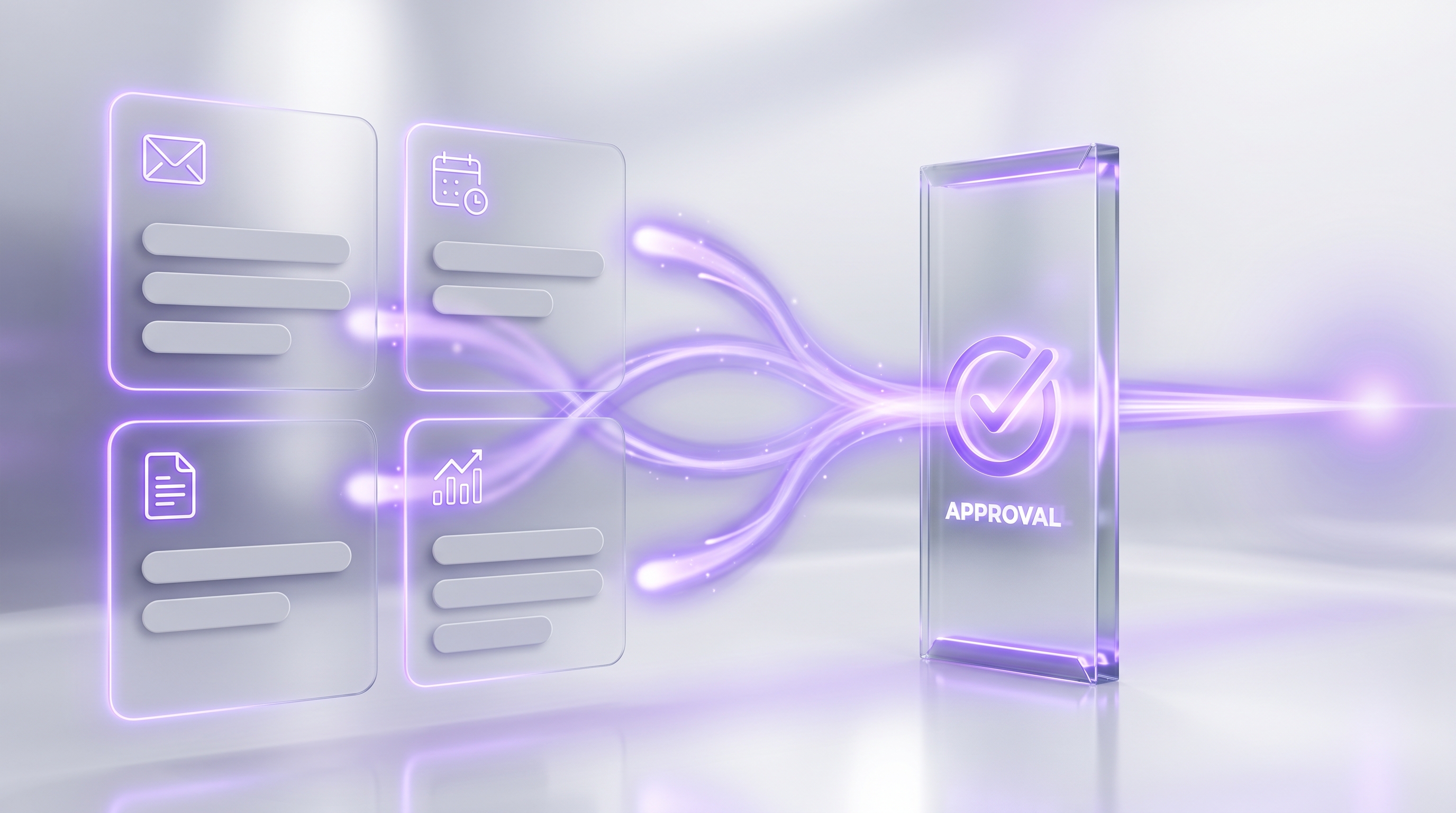
Each of these is a chore an app can help with and an agent can own. The difference compounds: the app saves you minutes when you remember to ask, while the agent returns hours whether you remembered or not. If you want a longer menu of proven workflows, our list of 50 Best OpenClaw Use Cases covers work, business, research, and daily-life setups with approval rules for each.
Final Recommendation: Start With the Best App, Upgrade When Work Needs to Run#
The lowest-friction move is still the right first move: install ChatGPT, then test Gemini, Copilot, Claude, or Perplexity against your ecosystem and keep whichever fits. This market is also getting more competitive, not less. Sensor Tower noted that ChatGPT's share of audience attention fell below 50% for the first time in March 2026 as Gemini and Claude gained ground, so whichever app you pick today will keep improving under competitive pressure. You are not making a permanent decision at the app layer.
But watch for the moment the question changes. When the same task keeps coming back every week, the best ai assistant app is no longer the real question. The real question is who owns the agent that runs the work. Some people solve this by hiring a human helper, and our AI virtual assistant comparison covers when that still makes sense. For professionals who want privacy, control, access from the messaging apps they already use, recurring workflows, and approval gates on every consequential action, the answer is an owned OpenClaw agent. And for everyone who wants that outcome without the infrastructure project, ClearSetup will build it.
Frequently asked questions#
What is the best AI assistant app in 2026?
For most professionals, ChatGPT is the safest default. Choose Gemini if you live in Google, Copilot if you live in Microsoft 365, Claude for writing and files, and Perplexity for cited research. Choose an owned OpenClaw agent when recurring work needs to run with approvals.
What is an AI personal assistant app?
An ai personal assistant app helps with tasks like answering questions, drafting messages, summarizing files, researching topics, and planning work. Most apps respond when prompted. They do not usually run recurring cross-app workflows without you starting them.
What are the best AI assistant apps for iPhone?
For iPhone, shortlist ChatGPT, Claude, Gemini, Copilot, and Perplexity. ChatGPT is the broad default, Claude is strong for writing and iOS system-app actions, and Perplexity is strongest for research.
What are the best AI assistant apps for Android?
On Android, shortlist Gemini, ChatGPT, Perplexity Assistant, Claude, and Copilot. Gemini is strongest for Google users, while Perplexity Assistant stands out because it can be set as the default Android assistant.
Is ChatGPT better than Gemini?
ChatGPT is usually better as the broad general-purpose app. Gemini is often better if your workflow depends on Google apps: Gmail, Calendar, Docs, Drive, Google search context, or Android.
Is Claude better than ChatGPT?
Claude is often better for long-form writing, careful reasoning, and document-heavy work. ChatGPT is usually broader for general use, voice, images, ecosystem, and mainstream adoption.
Is Perplexity an AI assistant app or a search app?
Perplexity is both. It is strongest as a cited-answer research app, but its mobile assistant features move it closer to a full assistant, especially on Android where it can act at the device level.
What is the difference between an AI assistant app and an AI agent?
An assistant app usually answers when asked. An AI agent can pursue a goal over multiple steps, use tools, remember context, and take approved actions across systems. IBM and Grammarly both draw the line at autonomy, planning, and action-taking.
When do you need an AI agent instead of an app?
You need an agent when work is recurring, multi-step, cross-app, context-heavy, or action-based. Examples include inbox triage, lead monitoring, report creation, invoice follow-up, and CRM updates.
What is the best personal assistant app for work?
The best personal assistant app for work depends on your stack. ChatGPT is the broad default, Gemini fits Google, Copilot fits Microsoft 365, Claude fits writing, and Perplexity fits research. For recurring execution, use an owned OpenClaw agent.
Why use OpenClaw instead of another AI assistant app?
Use OpenClaw when you want an owned agent reachable through the messaging apps you already use. It adds memory, tool use, recurring workflows, multi-agent routing, and approval gates, all on a private VPS or hardware you own.
How do approval gates work with an owned agent?
Approval gates let the agent prepare work while you approve risky steps. It can draft, summarize, and queue actions freely, then it asks before sending, spending, deleting, publishing, or changing important records.
Keep your favorite app for quick questions. Then have ClearSetup deploy OpenClaw on a private VPS or hardware you own, connect the messaging apps you already use, and start with one recurring workflow behind an approval gate. Two weeks in, you will know exactly why apps were only the beginning.
Want the deeper decision framework first? Read Personal AI Assistant in 2026 or browse 50 Best OpenClaw Use Cases to see what your first workflow could be.
Want your own OpenClaw AI agent, set up right?
We install, secure, and maintain your personal AI agent on private infrastructure, tuned to exactly how you work. You get the power without managing the setup.
Book Your Free Setup Call→The Owner's Guide to Adopting AI the Right Way
A short, practical guide for entrepreneurs: how to take charge of your AI, what your first AI agent should do, and the mistakes that cost months of rework. Get it free.