How to Build a Personal CRM with OpenClaw
Turn OpenClaw into a lightweight AI relationship system that captures contacts, remembers context, and nudges you at the right time. The agent drafts follow-ups, but you approve every send.
A personal CRM is the difference between remembering the right person at the right moment and letting a good relationship go cold. With OpenClaw, you can build one that captures contacts from email and calendar, stores real context, nudges you when a follow-up is due, and drafts the outreach for you. The agent prepares everything. You approve every send.
A personal CRM is a lightweight relationship system that stores contacts, context, interaction history, and follow-up reminders. With OpenClaw, you capture context from email and calendar, store it in a small structured database, surface daily follow-up nudges, draft outreach with relationship management AI, and require human approval before anything sends.
Most personal CRM advice points you at another product to buy. This guide does the opposite. It hands you the build: a clean contact and interaction model, an email and calendar capture flow, a daily follow-up nudge cron, an outreach draft prompt, and a hard approval gate before any message leaves the system. Every section is something you can deploy this week.
- A personal CRM is not a contacts list. It is a context loop that turns past conversations into the next best action.
- Start with five small tables: contacts, interactions, reminders, tags, and outreach drafts. Clean data first, automation second.
- Capture context from email and calendar with the narrowest permissions: read recent messages, read meeting details, draft only after approval.
- A weekday follow-up nudge cron surfaces who needs attention, why now, and a suggested next step, capped so it stays useful and not noisy.
- The approval gate is non-negotiable. OpenClaw drafts the outreach, you review and approve, and only then does anything send.
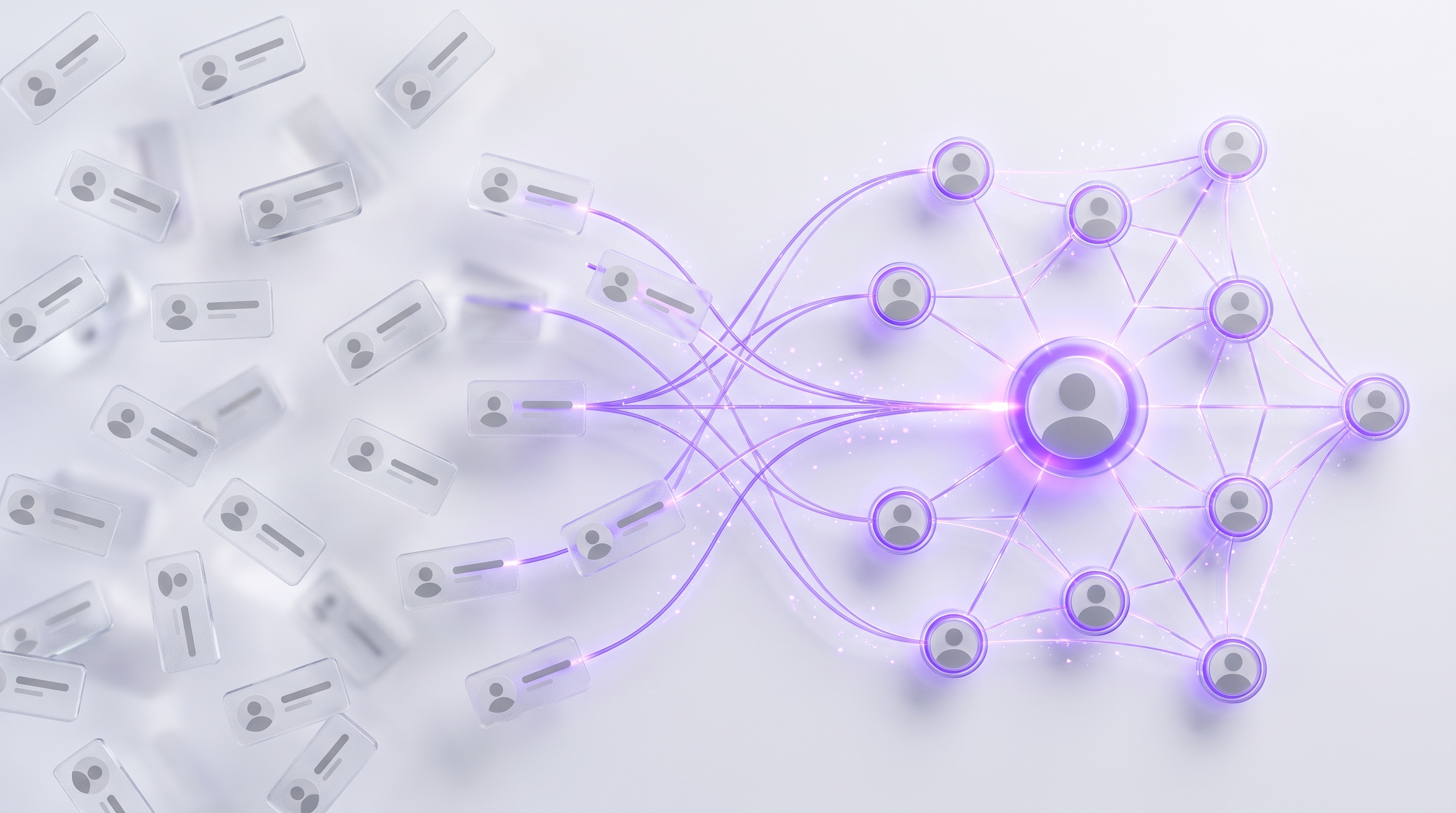
Why Build a Personal CRM with OpenClaw#
A personal CRM is a lightweight system for managing your own relationships: contacts, relationship context, interaction history, and follow-up reminders. It is built around one person's network rather than a sales team's pipeline. The job is simple to describe and hard to do consistently: know who to reach, why now, and what to say.
This matters most for people who win through long-term trust. Founders tracking investors and early customers, investors remembering founder context, salespeople nursing a pipeline, recruiters keeping warm candidates warm, consultants and networkers who meet dozens of people a month. If your work depends on relationships you cannot afford to forget, an AI personal CRM is leverage.
OpenClaw is a strong control layer for this because it already lives where the context is. Its documented personal CRM workflow scans Gmail and Calendar daily, extracts contacts and interactions, stores them in a structured database, answers natural-language questions like who needs follow-up, and sends morning meeting briefings. That is the spine of an OpenClaw CRM.
- ·You remember to follow up days too late, or not at all.
- ·Context lives in your head, old email threads, and a messy spreadsheet.
- ·Outreach feels generic because the last conversation is fuzzy.
- ·Important contacts go quiet and you never notice the drift.
- ▸A daily nudge surfaces who is due and why, with the last context attached.
- ▸Email and calendar context is captured and summarized automatically.
- ▸Drafts reference a specific shared moment, so outreach feels personal.
- ▸Every send waits behind your approval, so nothing awkward goes out.
The OpenClaw CRM Workflow at a Glance#
Before the build, see the whole system. The OpenClaw CRM is a loop, not a filing cabinet. It pulls signal from your inbox and calendar, turns it into structured records, watches for follow-ups that are due, drafts the message, and then stops at a human approval gate before anything sends. After you approve, it logs the interaction and sets the next follow-up date.
- 1OpenClaw reads recent email for new people, promised next steps, and unanswered asks.
- 2Calendar attendees and meeting context become interaction records and follow-up windows.
- 3You can drop a one-line note and let the agent structure it into the right tables.
This loop is lightweight enough for one person, but structured enough to replace the messy spreadsheet and the scattered notes app. The payoff is timing. Salesforce reports that sales reps spend only 40% of an average workweek selling and 60% not selling, with manual data entry called out in the time breakdown. A context loop that logs interactions for you wins back exactly that kind of lost time.
Contact and Interaction Data Model for a Lightweight Personal CRM#
Start with the data model, because clean structure now prevents a junk drawer later. Gartner says poor data quality costs organizations at least $12.9 million per year on average, which is a useful reminder that the schema is not busywork. Five small tables cover a complete personal CRM: contacts, interactions, reminders, tags, and outreach drafts.
Two fields do the heavy lifting for timing. next_follow_up_at tells the nudge cron when a contact is due, and cadence_days sets how often a relationship should be touched so quiet contacts surface on their own. The approval_status field on outreach drafts is the safety switch for the entire AI personal CRM, because a draft cannot become a send until a human flips it.
How to Capture Context from Email and Calendar#
Now wire the inputs. The point of contact follow-up automation is that you should not be typing what you already lived through. OpenClaw can read recent email and calendar activity, pull out the people and promises, and write clean records, all before it ever drafts a reply. Connect with the narrowest permissions that still work: read recent messages, read meeting details, and create drafts only after approval.
- 1Connect with least privilege10 min
Grant read access to recent Gmail and Calendar plus draft-only mail. Deny send, delete, and archive until the workflow is tested.
- 2Extract the signal that matters5 min
Pull participants, company names, subject lines, meeting dates, promised next steps, unanswered questions, and follow-up windows. Skip the noise.
- 3Store summaries, not full bodies5 min
Save a concise interaction summary plus a source_link back to the original. Keep the database searchable instead of bloated with raw text.
- 4Deduplicate on the way in5 min
Match new contacts by email, then domain, then normalized name, then calendar attendee history, so one person never becomes three records.
capture promptScan my Gmail from the last 24 hours and tomorrow's calendar. For each new person, promise, or follow-up date, propose a contacts or interactions record. Match against existing contacts by email, domain, then normalized name. Store a short summary and a source link, not the full message. Propose changes for my approval before writing anything.
When you explain inbox cleanup as part of this, it pays to manage your inbox with the same draft-first discipline, so capture and triage share one approval habit. The OpenClaw personal CRM use case describes exactly this pattern: scan Gmail and Calendar, extract contacts and interactions, and store them in a structured database.
Turn Raw Interactions into Useful Relationship Context#
Capture gives you records. Context makes them worth keeping. A personal CRM becomes a memory system, not a junk drawer, when every interaction answers the questions you will actually need before the next conversation. Use a repeatable template so notes stay consistent and short enough to search.
Concrete beats vague every time. A note like met at the fintech dinner, wants an intro to seed-stage CFOs, prefers a concise email, asked for the Q2 update, follow up after the board meeting will produce far better outreach than a one-word tag. Salesforce reports that 67% of sales professionals say personalization is more important to customers than last year, and personalization is impossible without this kind of remembered context.
Make OpenClaw summarize in a neutral voice and flag uncertain details instead of guessing. A relationship management AI that invents a fact is worse than one that says it is not sure, so instruct the agent to mark anything it could not confirm as needs confirmation.
Build the Follow-Up Nudge Cron#
This is the engine that turns stored data into timely action. The follow-up nudge cron runs every weekday morning, with an optional Sunday evening planning run for founders and investors whose weeks are meeting-heavy. Its job is to answer one question before your day starts: who needs attention today, and why.
Score each candidate nudge by relationship priority, recency, open action items, and business impact, so the daily list stays focused on the few contacts that matter rather than everyone. Make contact follow-up automation useful, not noisy: cap the digest, allow snooze, and require a reason on every nudge so nothing empty reaches you.
- 7:30Cron runs
OpenClaw scans due follow-ups, quiet high-priority contacts, and tomorrow's meetings.
- 7:35Nudges scored
Each candidate is ranked by priority, recency, open asks, and impact, then capped.
- 8:00Morning digestapprove
You get contact, why now, last context, suggested next step, and whether a draft is recommended.
- 8:10You decideapprove
Approve a draft, snooze, log a quick note, or skip. Nothing sends without your sign-off.
Add the Outreach Draft Prompt and Approval Gate#
This is the trust layer that makes AI outreach safe for real relationships. OpenClaw writes the follow-up, but it never sends it. Salesforce reports that 47% of sales reps say cold outreach is one of the worst parts of sales and 47% say their team lacks bandwidth for it, so a good draft is genuine leverage, as long as a human still owns the send.
Outreach draft with an approval gate
You are my OpenClaw personal CRM outreach operator. Using the contact record, the last three interactions, open action items, and the contact's preferred tone, draft a concise follow-up. Mention one specific shared context point. Suggest one clear next step. Do not send, do not schedule a send, and mark status as pending_approval. Return the draft, the context you used, and the exact approval needed.- ▸Before any outreach is sent
- ▸Before any send is scheduled
- ▸Before an interaction is logged as completed
- ▸Before next_follow_up_at is changed
- ▸Before contacting a sensitive relationship
- !Generic copy: require one specific shared context point or no draft.
- !Wrong tone: store a per-contact tone preference and use it.
- !Stale facts: draft only from the latest interactions and flag gaps.
- !Premature send: enforce pending_approval and deny send scope.
- !Lost audit trail: log approved_by and approved_at on every send.
Only a human click or an explicit approve command can move a message from draft to send. That is the OpenClaw CRM advantage in one sentence: contact follow-up automation with human judgment built into the last step. After a send, the agent closes the loop by logging the message as an interaction and setting the next follow-up date, so the system stays current without you touching it.
Copy-Paste Prompts for Your AI Personal CRM#
These reusable prompts make the OpenClaw CRM useful on day one. Each one reads or drafts and then waits, so nothing permanent happens without your approval. Among sales pros with AI agents, Salesforce reports that 90% say AI or agents help them understand customers better and 88% say AI makes them more productive, which is exactly what a tight prompt library delivers.
Scan today's calendar and yesterday's email for new people, meetings, promises, and follow-up dates. Propose database changes for approval before writing any permanent record.Show high-priority contacts whose next_follow_up_at is due or whose last interaction is older than their cadence. Include why now and the recommended action.Brief me on {contact_name} with last interaction, open asks, personal context, possible risks, and three useful questions.Summarize this note into an interaction, extract action items, suggest follow-up timing, and ask for approval before saving.Draft but do not send a warm, concise follow-up using the contact's context, last ask, and preferred tone. Mark it pending_approval.Personal CRM Use Cases for Founders, Investors, Salespeople, and Networkers#
The same OpenClaw CRM bends to four very different jobs. Here is the exact workflow each audience can build, all on the same five tables and the same approval gate.
- Founders. Track investor conversations, advisor advice, customer discovery calls, hiring referrals, and update follow-ups, so no warm thread goes cold during a raise.
- Investors. Remember founder context, LP conversations, co-investor preferences, warm intro history, and post-meeting next steps across a large portfolio.
- Salespeople. Turn meeting notes and unanswered emails into prioritized contact follow-up automation with approved outreach drafts, instead of a stale CRM nobody updates.
- Networkers. Capture conference conversations, LinkedIn context, personal preferences, and stay-in-touch cadences so a big network stays genuinely warm.
For founders and salespeople especially, the open loops from these relationships become tasks, and it helps to use OpenClaw as a personal project manager so follow-ups live alongside the rest of your week. The network is large: DataReportal reports LinkedIn had 270 million members in the United States in late 2025, based on LinkedIn advertising resources, while noting members are not the same as monthly active users. A personal CRM is how you keep a slice of that network real instead of a list of names.
Privacy, Permissions, and Safe Agent Boundaries#
A personal CRM stores sensitive relationship data, so control is part of the build, not an afterthought. Haiku CRM positions itself around local-first personal relationship management, saying messages and contacts stay on the Mac. You can hold a similar bar with OpenClaw by minimizing what you store and tightening what the agent can do.
- Data minimization. Store summaries, source links, and action items instead of unnecessary full-message archives. Keep only what makes the next conversation better.
- Least-privilege permissions. Scope Gmail, Calendar, contacts, and send actions tightly. Read and draft freely, but gate every write that leaves the system.
- Audit log. Record scans, proposed database writes, draft creation, approvals, sends, and failed actions, so you can always see what the agent did.
- Sensitive relationships stay manual. Never auto-draft for investors, board members, family, legal matters, healthcare, or HR conversations. Surface them, do not write for them.
- One non-negotiable gate. The approval step applies to email, LinkedIn DM, SMS, and any other outbound channel, with no exceptions for convenience.
OpenClaw CRM vs Spreadsheet, Notion, and SaaS Personal CRM Tools#
You already know the alternatives, so here is an honest comparison. Each tool has a place. The question is which one fits an agentic, approval-gated relationship workflow, and where the OpenClaw CRM earns its keep.
| Capability | Spreadsheet | Notion / Airtable | SaaS personal CRM | OpenClaw CRM |
|---|---|---|---|---|
| Setup speed | Fast | Medium | Fast | Medium |
| Contact capture | Manual | Manual | Semi-automatic | Email + calendar capture |
| Interaction history | Weak | Manual | Good | Auto-logged |
| Email/calendar context | None | Add-on | Varies | Native |
| Search | Basic | Good | Good | Natural language |
| Automation | None | Separate setup | Limited | Crons + drafts |
| Approval gate | None | Manual | Rare | Built in |
| Privacy controls | Local file | Vendor cloud | Vendor cloud | Your scopes + minimization |
Spreadsheets start fast but break on reminders, history, and capture. Notion or Airtable are flexible and visual, but usually need manual updates and separate automation. A SaaS personal CRM is polished but less customizable for agent workflows and approval-specific logic. The OpenClaw CRM is the best fit when you want structured contact data, email and calendar context, natural-language queries, drafts, nudges, and approval gates in one workflow. Salesforce reports that 51% of sales leaders with AI say tech silos delay or limit AI initiatives, which is exactly the fragmentation a single context layer avoids.
Weekly Maintenance Playbook for Clean Relationship Data#
A personal CRM decays without upkeep. IBM's 2025 research found that 43% of chief operations officers identify data quality issues as their most significant data priority, so a short weekly pass is what keeps the system trustworthy. Run it as one capped, human-reviewed routine.
- 1Dedupe5 min
Find contacts with similar names, domains, phone numbers, or meeting histories and propose merges for approval.
- 2Merge and prune4 min
Merge duplicate interaction logs and archive low-value reminders that no longer matter.
- 3Review stale contacts5 min
Sort by priority tier and decide whether to follow up, snooze, archive, or downgrade cadence.
- 4Enrich what helps4 min
Update current company, role, preferred channel, relationship type, and last meaningful context. Skip vanity fields.
- 5Approve bulk edits2 min
Keep a human review step for any bulk change so the OpenClaw CRM stays accurate, not just tidy.
Measure the System and Scale It Without Losing Trust#
Close the build with metrics and a careful scaling path. McKinsey estimates generative AI could increase sales productivity by roughly 3% to 5% of current global sales expenditures, and Microsoft and LinkedIn's 2024 Work Trend Index found 75% of global knowledge workers use AI at work. The way you capture that upside is by measuring the right things and refusing to drop the approval gate as you grow.
Use the approval edit rate as your quality dial. If you heavily rewrite drafts, fix the prompts and context fields before you scale, because more volume on a weak draft just multiplies the rework. Also watch follow-up completion rate, meetings booked, false-positive nudges, and time saved, so you know the system is earning its place.
Scale gradually by adding event capture, a LinkedIn export review, a CRM sync, or team-shared templates. Do not remove the approval gate just because the first drafts look good. Trust compounds when the human stays accountable, and that accountability is the entire reason an AI personal CRM is safe to run on real relationships.
Frequently asked questions#
What is a personal CRM?
A personal CRM is a lightweight system for managing your own relationships. It stores contacts, context, interaction history, reminders, and follow-up timing so you know who to reach, why now, and what to say.
Can OpenClaw be used as a personal CRM?
Yes. OpenClaw can power an OpenClaw CRM by scanning email and calendar context, storing structured contact records, answering natural-language relationship queries, preparing meeting briefs, and drafting follow-ups for approval.
How is a personal CRM different from a traditional CRM?
A traditional CRM is usually built for teams, pipeline reporting, revenue attribution, and manager visibility. A personal CRM is built around one person's network, including how you met, what you discussed, and when to reconnect.
How do I capture context from email and calendar?
Connect email and calendar with limited permissions, then have OpenClaw extract participants, dates, topics, action items, follow-up promises, and source links. Store concise summaries in the contact and interaction tables instead of saving unnecessary raw content.
Should an AI personal CRM send messages automatically?
No. For relationship-heavy work, the safer model is draft-first and approve-before-send. OpenClaw should prepare the message, explain the context, and wait for human approval before email, LinkedIn DM, SMS, or any other outreach leaves the system.
Is a spreadsheet enough for a personal CRM?
A spreadsheet can work for a very small network, but it usually breaks down on reminders, interaction history, email and calendar capture, search, and contact follow-up automation. OpenClaw adds the context loop a spreadsheet lacks.
What data should an OpenClaw CRM store?
Store contacts, interactions, reminders, tags, and outreach drafts. The most important fields are name, email, company, relationship type, last interaction, next follow-up date, interaction summary, action items, and approval status for drafts.
How often should contact follow-up automation run?
For most networkers, founders, investors, and salespeople, a weekday morning cron is enough. Add a Sunday planning run if your week is meeting-heavy, but cap the digest so the personal CRM stays useful instead of noisy.
Start with the contact and interaction tables, connect Gmail and Calendar in OpenClaw, run the nudge cron tomorrow morning, and keep every outreach draft behind approval. That is a complete personal CRM you can trust with real relationships.
Keep building: learn to manage your inbox with the same draft-first approach, then use OpenClaw as a personal project manager so your follow-ups and tasks live in one place.
Want your own OpenClaw AI agent, set up right?
We install, secure, and maintain your personal AI agent on private infrastructure, tuned to exactly how you work. You get the power without managing the setup.
Book Your Free Setup Call→The Owner's Guide to Adopting AI the Right Way
A short, practical guide for entrepreneurs: how to take charge of your AI, what your first AI agent should do, and the mistakes that cost months of rework. Get it free.