

Your First Week with an AI Assistant: A Day-by-Day Guide
So you’ve decided to try an AI assistant. Maybe your kids set one up for you. Maybe you read about it and got curious. Either way, you’re staring at a device or an app and thinking: now what?
That’s exactly where this guide comes in. Getting started with an AI assistant is a lot like learning to use a new TV remote — it feels unfamiliar at first, but within a few days, you’ll wonder how you got along without it.
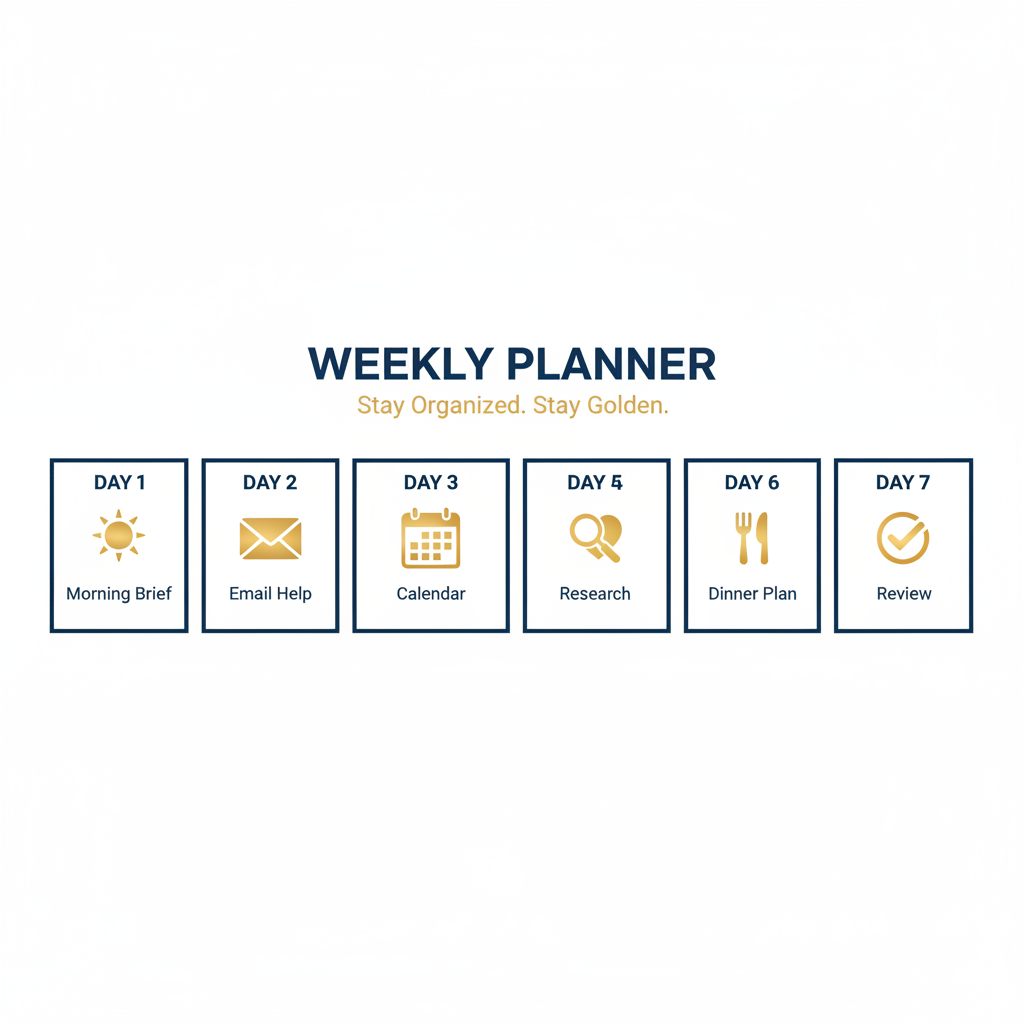
This isn’t a technical manual. There are no passwords to memorize and no complicated menus to navigate. Just seven days of simple, practical tasks that build on each other. By the end of the week, your AI assistant will already be saving you time and mental energy.
If you want the full picture of what AI assistants can do and which one might be right for you, check out our complete guide to AI personal assistants. But right now, let’s focus on your first seven days.
Before You Start: Get Set Up Right
The single most important thing you can do is make sure your AI assistant is properly configured before day one. That means the device is charged, the volume is right, it’s connected to your Wi-Fi, and it actually responds when you talk to it.
This is where a lot of people get stuck. If you’d rather skip the setup headaches entirely, ClearSetup AI handles the whole thing for you — a real person walks you through setup over video call so you’re ready to go on day one. No guessing, no frustration.
Alright. Your assistant is on and listening. Let’s begin.
Day 1: Your First Morning Briefing
The task
Wake up and ask your AI assistant one simple question: “What’s the weather today?”
That’s it. One question. You’re not trying to master the whole system — you’re just getting comfortable talking to it out loud.
What to expect
Your assistant will tell you the current temperature, the forecast, and maybe whether you need an umbrella. It might feel odd talking to a speaker or a phone screen at first. That’s completely normal. Most adults over 55 say the awkwardness fades within two or three tries.
Once you’ve got the weather, try one more thing: “What’s in the news today?” Your assistant will read you a quick summary of top headlines. Just like that, you’ve got a morning briefing without turning on the TV or pulling up a browser.
Pro tip
Don’t worry about using the “right” words. AI assistants understand natural speech. Say it the way you’d say it to a friend, and it will figure out what you mean.
Day 2: Email Without the Headaches
The task
Ask your assistant: “Do I have any new emails?” or “Read my latest email.”
What to expect
Depending on your setup, your assistant can read email subjects, summarize messages, or even help you reply. If you use Gmail or another common email service, this usually works right out of the box.
You don’t have to answer every email by voice. The goal today is just to let your assistant help you sort what’s worth reading and what’s junk. Think of it as a personal secretary who screens your mail before handing it to you.
Pro tip
Try saying “Delete that” or “Mark that as spam” after hearing a junk email. Your assistant can keep your inbox clean while you sip your coffee.
Day 3: Calendar and Scheduling
The task
Add something to your calendar using only your voice: “Add a dentist appointment next Tuesday at 2 PM.”
What to expect
Your assistant will confirm the details and add it to your calendar. Later, it can remind you — the morning of, an hour before, whatever you prefer. No more sticky notes on the fridge or forgotten appointments.
You can also ask “What’s on my schedule this week?” to hear everything in one place. For seniors who juggle doctor visits, grandkid activities, and social plans, this one feature alone is worth the setup.
Pro tip
Set a recurring reminder for things that happen regularly — like “Remind me to call Mom every Sunday at 10 AM.” Once it’s set, you never have to think about it again.

Day 4: Health Reminders and Medication Tracking
The task
Set up a daily medication reminder: “Remind me to take my blood pressure pill every day at 8 AM.”
What to expect
Every morning at 8, your assistant will chime and remind you. No special app required. You can stack multiple reminders — one for morning meds, one for evening, one for that vitamin you keep forgetting.
This is one of the most popular uses among adults over 55, and for good reason. Missed medications can cause real problems, and a gentle daily nudge makes a big difference.
Pro tip
You can also ask health-related questions like “What are the side effects of ibuprofen?” or “How much water should I drink each day?” Your assistant won’t replace your doctor, but it’s a handy reference when you have a quick question.
Day 5: Research and Everyday Questions
The task
Ask your assistant something you’ve been curious about. Anything. “What year did the Golden Gate Bridge open?” or “How do I get a stain out of a silk shirt?” or “What’s the best way to grow tomatoes in Arizona?”
What to expect
You’ll get a clear, spoken answer in seconds. No typing, no scrolling through search results, no pop-up ads. Just the answer.
This is where an AI assistant really starts to feel useful. Instead of opening a laptop, typing a question, and wading through ten websites, you just ask out loud and get what you need. If you’re curious about the differences between assistants like Siri, ChatGPT, and others, we break that down in our post on the difference between Siri, ChatGPT, and AI assistants.
Pro tip
Follow-up questions work too. If your assistant tells you the Golden Gate Bridge opened in 1937, you can immediately ask “How long is it?” without repeating the bridge’s name. It remembers what you were talking about.
Day 6: Meal Planning and Reservations
The task
Ask your assistant: “What’s a simple recipe for chicken soup?” or “Find Italian restaurants near me.”
What to expect
Your assistant can walk you through recipes step by step — handy when your hands are busy in the kitchen. It can also find restaurants, read reviews, and in some cases make a reservation for you.
Meal planning is another area where adults over 55 find real, everyday value. Whether you’re cooking for one or hosting the grandkids, having a hands-free kitchen helper takes the guesswork out of dinnertime.
Pro tip
Try saying “Add chicken broth to my shopping list.” Most assistants can keep a running list you can check on your phone at the store.
Day 7: Review, Adjust, and What’s Next
The task
Take five minutes to think about your week. What did you use your assistant for most? What worked well? What felt confusing?
What to expect
By now you’ve used your AI assistant for weather, email, scheduling, health reminders, research, and meal planning. You probably found one or two things that clicked right away and maybe one that didn’t feel natural yet. That’s fine. This AI setup beginner guide is meant to give you a foundation, not make you an expert overnight.
Going forward, lean into what worked. If morning briefings became part of your routine, great — keep doing that. If the email feature felt clunky, skip it for now and come back later.
Pro tip
Ask your assistant “What can you do?” to discover features you haven’t tried yet. You’ll be surprised how much is built in that you didn’t know about.
You Did It — Now Keep Going
A week ago, you might have felt unsure about how to start using AI. Now you’ve got a working routine. Your AI assistant first week is behind you, and the learning curve from here only gets easier.
The people who get the most out of their AI assistants are the ones who keep experimenting. Try one new thing each week. Ask a question you wouldn’t normally ask. Set a reminder you’d usually forget. Over time, your assistant becomes something you genuinely rely on — not because it’s fancy, but because it’s useful.
And remember, if you ever get stuck or want help setting up a new feature, ClearSetup AI is always available to walk you through it.
Frequently Asked Questions
Do I need to be tech-savvy to follow this guide?
Not at all. This guide is written for people who are brand new to AI assistants. If you can ask a question out loud, you can do everything listed here. There are no apps to download or settings to change during the week — just plain conversation with your device.
What if my assistant doesn’t understand me?
Try speaking a little more slowly and clearly, but don’t overthink it. AI assistants are built to handle natural speech, accents, and different phrasing. If it still doesn’t get it, rephrase your question in simpler terms. For example, instead of “What’s the precipitation forecast?” just say “Will it rain today?”
Can I do these tasks in a different order?
Absolutely. The day-by-day order is a suggestion, not a rule. If you’re most excited about meal planning, start there. The point is to try one new thing each day so you build confidence without feeling overwhelmed.
What if I want help setting everything up before day one?
That’s exactly what ClearSetup AI does. A real person helps you over a video call — they’ll make sure your device is ready, your accounts are connected, and you’re comfortable before you start your first week. It’s the fastest way to skip the frustration and get straight to the good stuff.
Ready to Get Started?
Book a free 20-minute consultation. We’ll show you exactly how a personal AI assistant can save you hours every week.
(855) 779-3797 · Available 24/7
Liked this article? Get the full guide free.
10 Extraordinary Things Your AI Assistant Can Do For You — a 15-page illustrated guide with real stories, practical examples, and the exact questions to ask your AI assistant.
No spam. Unsubscribe anytime. We respect your inbox.
Related Articles

From Beginner to Pro: How Your AI Assistant Grows with You
Start with morning briefings. Build to email and bills. Graduate to travel planning and health management. Here is the roadmap from AI beginner to pro.


How to Set Up an AI Assistant for Your Parents: Complete 2026 Guide
A complete guide to setting up an AI personal assistant for your parents or older loved ones. Covers free tools, voice assistants, and managed AI services — with privacy, cost, and ease-of-use comparisons.

The Ultimate Guide to AI Personal Assistants for Adults Over 55 (2026)
Discover how AI personal assistants help adults over 55 simplify daily life, stay secure online, and maintain independence in 2026.