

She spent four hours on the phone with her insurance company. Got transferred three times. Repeated her policy number to each new representative. By the end, she still didn’t have an answer about the denied claim. The appeal form was somewhere on a portal she couldn’t find, and nobody could tell her what to write on it.
That’s a real Tuesday for millions of busy adults. Not because they can’t handle it — they absolutely can — but because life is full of tedious admin work that eats your time and adds unnecessary stress.
Now imagine a different version of that Tuesday. You say, “Appeal the denial on my new prescription. Let me know when it’s done.” And then you go have lunch. By the time you’re back, the appeal letter has been drafted with the right medical codes, submitted through the insurer’s portal, and a copy has been sent to your doctor’s office. You get a two-sentence update: “Appeal submitted. I’ll check the portal twice a day and tell you when they respond.”
That’s not science fiction. That’s what a properly set up AI personal assistant actually does. Not a voice-activated timer. Not a chatbot that gives you homework. A real assistant that finishes the job.
This post walks through ten real examples of what that looks like in practice. If you’ve been curious about what makes a real AI assistant different from the tools you already have, keep reading.
What is a real AI personal assistant?
You probably already have some version of “AI” in your life. Siri can set a timer. Alexa can play a song. ChatGPT can write you a pretty good email. But none of them finish the job.
Siri can find a pharmacy. It can’t refill the prescription. ChatGPT can draft an appeal letter. It can’t submit it. The last step, the part where something actually happens in the real world, always gets left to you.
A real AI personal assistant crosses that gap. It doesn’t just answer questions or write drafts. It takes action: booking flights, submitting forms, managing your calendar, handling insurance portals, ordering gifts, and following up until the task is genuinely done.
It also remembers you. Your doctors, your grandkids’ birthdays, your airline loyalty number, your food allergies, which plumber you trust. It gets better the longer you use it because it’s yours, running on a private server, not shared with anyone else.
Here’s a quick comparison:
| Capability | Siri | Alexa | ChatGPT | Real AI Assistant |
|---|---|---|---|---|
| Answers a question | ✔ | ✔ | ✔ | ✔ |
| Writes an email or plan | Limited | Limited | ✔ | ✔ |
| Remembers you between sessions | — | — | Partial | ✔ |
| Knows your doctors, family, preferences | — | — | — | ✔ |
| Takes action in real apps and portals | — | — | — | ✔ |
| Runs 24/7 on a private server | — | — | — | ✔ |
| Flags scams and suspicious messages | — | — | — | ✔ |
The difference is simple: Siri and Alexa give you voice control. ChatGPT gives you text. A real AI personal assistant gives you finished tasks.

1. Plan a family trip to see the grandkids
You want to visit your daughter and the grandkids in Denver sometime in April. With a regular search engine, that turns into two days of comparing flights, cross-referencing calendars, checking hotel reviews, and figuring out car rental discounts. According to a 2024 Priceline study, the average traveler spends about 16 hours planning and booking a single trip.
With a real AI assistant, you say: “Plan a three-day trip to visit Rachel and the kids. The weekend of her spring concert. Window seat if you can.”
From there, it checks your calendar against your daughter’s family schedule, books a nonstop flight using your loyalty number, reserves a rental car with your AAA discount, and finds a pet-friendly hotel near her house with late checkout. It researches quiet, kid-friendly restaurants and holds a Saturday reservation. It texts your daughter the itinerary. It adds every flight and reservation to your calendar with reminders.
You get a single PDF itinerary in your email. The assistant watches the flight for delays and lets you know if anything changes.
Sixteen hours of trip planning, handled over a cup of coffee. Curious what your first week using an assistant would actually look like? Here’s a day-by-day walkthrough.

2. Handle insurance without losing a day
Nearly one in four insured adults delay or skip medical care because of insurance paperwork, according to Health Affairs. The system is built on hold music and circular portals. Most people give up before they get what they’re owed.
An AI assistant changes that math completely. You say: “Appeal the prior authorization denial on my new medication. Let me know when it’s done.”
It reads the Explanation of Benefits from your patient portal and identifies the denial reason. It drafts the appeal letter with the correct ICD-10 code and medical necessity language, already pulled from your records. With your approval, it submits the appeal through the insurer’s portal and copies your doctor’s office.
Then it does the part nobody wants to do: it checks the portal twice a day for updates so you don’t have to log in. You get a plain-English morning update: “Still pending. No action needed.” When it’s approved, the assistant messages the pharmacy, confirms the prescription is filled, and schedules curbside pickup. Everything gets filed in case you need it again.
The paperwork happens. You don’t have to touch it.

3. Never miss a birthday or anniversary again
Seven grandkids. Four children. Two siblings. A dozen close friends. Your spouse used to keep track of all of it. Now it’s scattered across three calendars, a paper address book, and your memory.
An AI assistant builds a complete birthday and anniversary list from your old calendars, contacts, and greeting card history. One week before each date, it gives you a few warm options: a phone call, a handwritten card, or a gift.
If you pick “gift,” it suggests age-appropriate ideas based on what that person actually likes. Caleb is into Legos. Sophie loves astronomy. It orders the gift with the right shipping address, writes a card in your voice, and has it mailed. On the morning of the birthday, it drafts a text you can send with one tap.
It also keeps a running history of what you did for each person last year, so you never repeat yourself. One conversation sets up a year of thoughtful moments. Zero missed birthdays.

4. Your scam shield, always watching
A popup screams “YOUR COMPUTER IS INFECTED.” The phone number looks official. The popup won’t close. According to the FBI, Americans over 60 lost $3.4 billion to scams in 2023, with the average loss per victim reaching $33,915.
Your regular tools don’t help here. Siri doesn’t see the popup. Your antivirus didn’t catch it. You’re on your own.
An AI assistant detects the fake alert before you can react. It labels it clearly: “This is a known tech-support scam. Do not call that number.” It closes the browser tab safely and runs an integrity check. It drafts a quick note to a family member so everyone in the household knows what happened.
Beyond popups, it flags suspicious emails before you see them, the ones pretending to be from your bank, the IRS, or a package delivery service. Any message that says “you need to act immediately” gets a second opinion before it reaches you. It cross-checks phone numbers and senders against known scam databases and gets smarter over time.
For a deeper look at how this works, read our guide on how AI keeps you a step ahead of online scams.

5. Organize 40 years of family photos in weeks
Three shoeboxes of slides from 1975. Two hard drives from 2004. Eleven years of iPhone pictures. You’ve been promising yourself you’d organize them for a decade. You know how the promise goes.
An AI assistant inventories every source: shoeboxes, hard drives, iPhone library, Google Photos, old Facebook albums. It walks you through scanning the physical slides with a trusted service and tracks the shipment. Then it gets to work on the digital mess, deduplicating 42,000 photos down to the 6,000 keepers.
It auto-tags people, places, and dates, and asks you to confirm the ones it isn’t sure about. From there, it builds curated photo books organized by decade and theme. It can order printed hardcover copies for each grandchild, timed to arrive on their next birthday. Everything gets uploaded to a private, family-only album the grandkids can browse on their phones.
A project that’s been on your list for ten years, done in three weeks. Five hardcover books the family will actually look through.

6. Manage your vendors without the runaround
Water on the kitchen ceiling. A flickering outlet. The cable guy who never shows up during his window. Finding a reliable contractor shouldn’t require a week of stress and a dozen phone calls.
An AI assistant keeps a private, trusted vendor list: the plumber your neighbor recommended, the electrician who did your panel, the HVAC crew that actually shows up. When something breaks, it finds three highest-rated, verified-license pros within 10 miles who have same-day openings.
It requests quotes through each vendor’s booking form, then reports back in plain English: price, arrival window, and reviews. With your OK, it books the appointment, sends the vendor your address and gate code, and notifies your spouse. It monitors the confirmation thread so you know when the plumber is actually on the way.
After the visit, it collects the invoice and files it under Home Maintenance with the warranty flagged. It tracks recurring jobs like HVAC filters, gutter cleaning, and dryer vent cleaning. Over time, it builds a running home maintenance record, which is genuinely useful the next time you sell the house.

7. Drop the subscriptions you forgot you were paying for
You’re pretty sure you’re paying for too many things. You can’t quite tell which ones are still active. Every cancellation is buried three menus deep on purpose.
An AI assistant pulls 12 months of bank and credit card statements and identifies every recurring charge. It classifies them: Used, Forgotten, Duplicate, or Predatory. Then it reports plainly: “You’re paying $317 a month across 23 services. You use 11 of them. The other 12 total $2,189 a year.”
For each one you want to cancel, it handles the cancellation the right way, whether that’s a website form, a chat with support, or a formal letter where required. It gets written confirmation and saves it. It sets a quarterly check to catch any new subscription creep before it compounds.
$2,189 a year, back in your pocket. Without clicking through a single retention offer. That’s hours of your life back, with zero stress. Here’s more on how AI helps you cut the busywork and reclaim your time.

8. Host Thanksgiving for 22 and actually enjoy it
Four generations around the table. Two gluten-free guests. A vegetarian. A toddler. A brother who always shows up late. You love hosting, but you’ve spent past holidays running logistics instead of sitting down.
An AI assistant builds the guest list from your contacts and confirms who’s coming. It assembles dietary needs and scales every recipe to 22. It creates a master shopping list grouped by store and schedules grocery delivery for Wednesday morning.
Then it does the planning you never get around to: a cooking timeline that works backward from dinner. “Brine the turkey Tuesday. Pies Wednesday. Turkey in at 10am Thursday.” It coordinates who brings what and nudges the cousin who always forgets the cranberry sauce. It can pre-order flowers, rent extra folding chairs, and write a day-of timeline you can tape to the fridge.
You host. The assistant runs logistics. You actually get to sit down and enjoy the meal with your family this year.
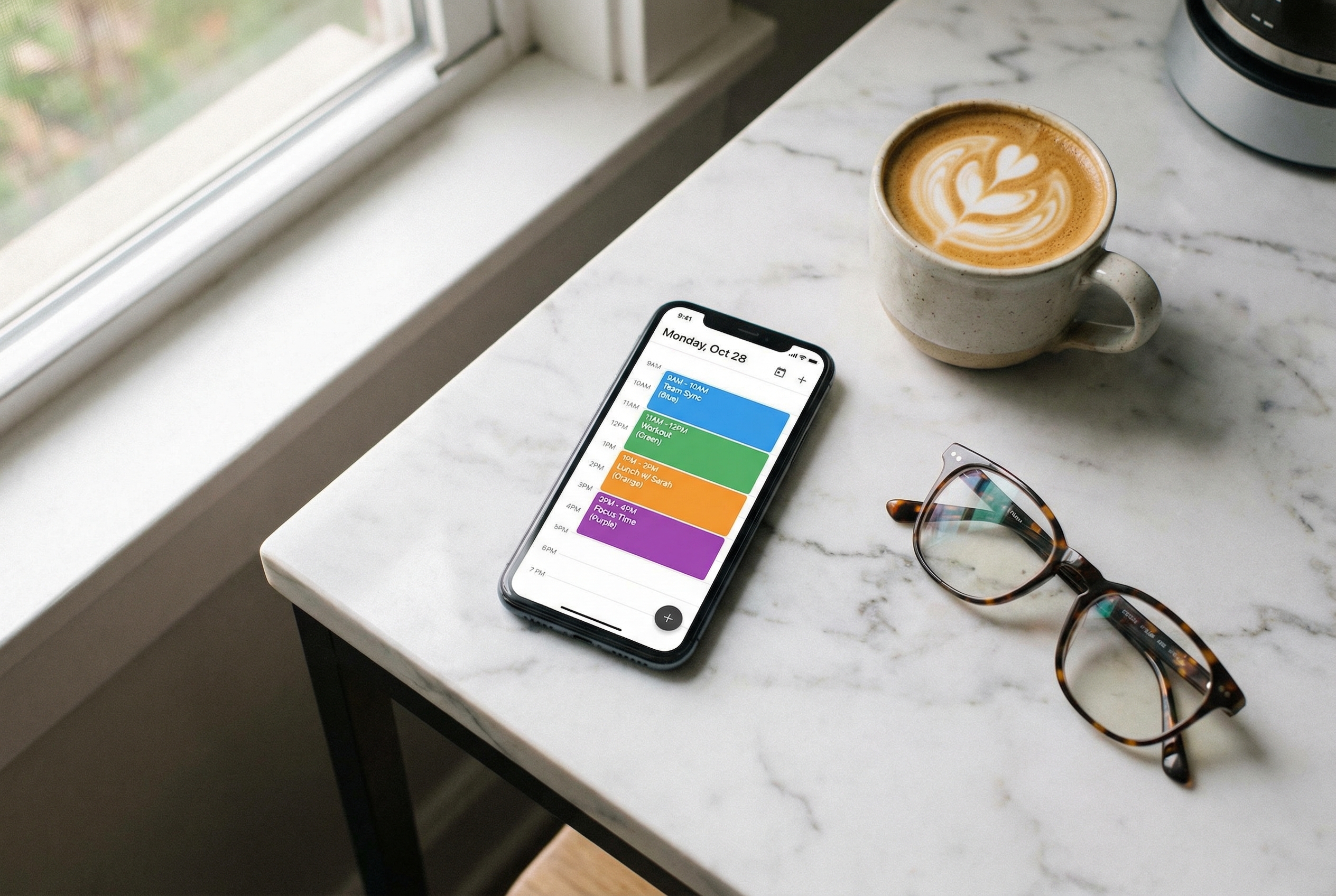
9. One calendar for your whole life
Your calendar. Your spouse’s calendar. The grandkids’ school play. Your cardiologist. Volunteer shift. Book club. Five apps. No single view. Something always gets missed or double-booked.
An AI assistant pulls every calendar you care about into one place: yours, your spouse’s, the grandkids’ school schedule, your medical portal appointments, volunteer commitments, even golf tee times. It detects conflicts before they happen: “Heads up, your cardiologist appointment on the 22nd is the same morning as Sophie’s school play.”
It adds new events automatically from email confirmations, things like restaurant reservations, concert tickets, and flight itineraries. Each morning, you get a clean briefing: “Today you have lunch with Linda at noon and Sophie’s game at 4. Leave the house by 3:30.”
Reminders are set intelligently, based on when you need to leave, not a random 15-minute default. Your spouse or kids can see the parts of your calendar you want to share, and nothing more. When you say “I’m free Saturday,” it actually knows whether that’s true.

10. Your personal concierge for weekends and fun
Saturday night is coming and you want to do something good. Not research. Not homework. An actual plan, ready to go.
An AI assistant asks you two quick questions: what mood are you in, and who’s going? Then it scans restaurants, live music, theater, wine tastings, and local events within your preferred radius. It filters by your real preferences: quiet over loud, good wine list, neighborhoods you like, available parking.
It shortlists three options with an honest one-line description of each. Once you pick one, it books the reservation and the tickets. It checks the weather, tells you what to wear, and lets you know when to leave based on traffic. It sends your partner the plan and adds everything to the calendar.
The next morning, it asks for a quick rating so it gets better at knowing what you love. A weekend worth showing up for, without doing the work to plan it.
How it works
Getting started with a real AI personal assistant doesn’t require any technical knowledge. ClearSetup AI handles everything for you.
Step 1: Book a free consultation. A 20-minute call with a real person. We learn what you need, answer your questions, and figure out if it’s a good fit. No pressure, no jargon.
Step 2: We set it up. Our team handles the entire setup: your private server, your integrations (email, calendar, banking portals, medical portals), and training the assistant on your life. You don’t touch a keyboard.
Step 3: You start using it. Ask your assistant anything, in plain English. “Plan a trip.” “Appeal this insurance denial.” “What’s on my calendar tomorrow?” Watch it actually finish the job.
Most people are up and running within a week. You can read what your first week actually looks like here.
Frequently asked questions
Do I need to be good with technology?
No. If you can send a text message, you can use an AI personal assistant. You type or speak what you need in plain English. There are no apps to learn, no settings to configure, and no passwords to remember. The whole point is that you talk to it like a person, and it handles the rest.
Is my information private and secure?
Yes. Your assistant runs on a private server that belongs only to you. Your data is not shared with advertisers, tech companies, or anyone else. This is the opposite of how Siri, Alexa, and free AI tools work. Your information stays on your side of the table.
How much does it cost?
Pricing depends on what you need. ClearSetup AI offers different plans based on how much your assistant handles. The best way to find out is to book a free 20-minute consultation and we’ll give you a clear answer. There are no hidden fees.
Can my family use it too?
Your assistant is set up for you, but it can coordinate with your family. It can share calendar events with your spouse, send trip itineraries to your kids, or text birthday reminders to the whole family. You control exactly what gets shared and with whom.
What if I get stuck or need help?
ClearSetup AI includes ongoing support from real people. If something isn’t working, if you’re not sure how to ask for something, or if you want to add a new capability, you can call or message our team anytime. You’re never left to figure it out alone.
Ready to see what a real AI assistant can do for you?
You already know how to live the life you want. You don’t need another app or another password. You need something that actually handles the boring stuff so you can spend your time on what matters.
Book a free 20-minute consultation with our team. We’ll answer your questions, learn about your life, and show you exactly how it works. No pressure, no technical jargon, and no homework.
(855) 779-3797 · 24/7 Scheduling
Liked this article? Get the full guide free.
10 Extraordinary Things Your AI Assistant Can Do For You — a 15-page illustrated guide with real stories, practical examples, and the exact questions to ask your AI assistant.
No spam. Unsubscribe anytime. We respect your inbox.
Related Articles
AI and Your Time: How Technology Helps You Get Hours Back Every Week
The fear of losing independence is real. AI personal assistants help adults over 55 manage finances, healthcare, and daily tasks without asking anyone for help.
